 Paul L.
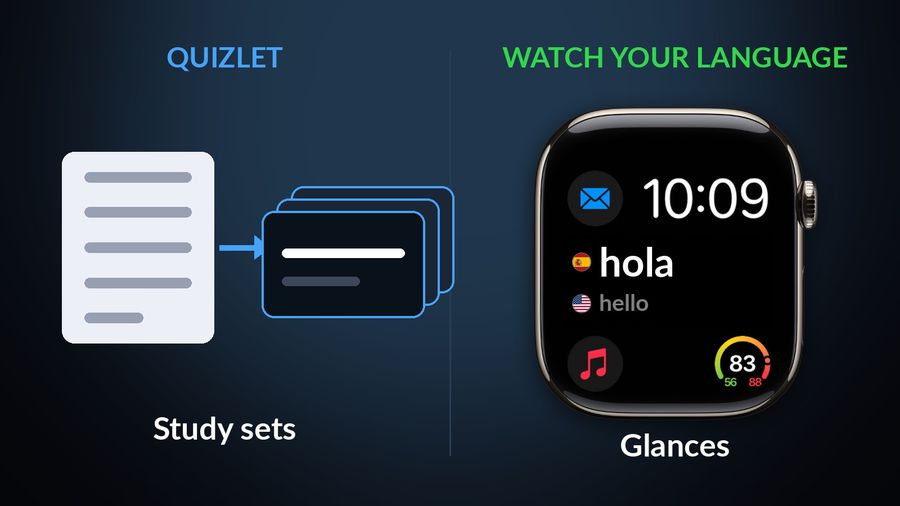
Quizlet turns notes into study sets you work through for a test, and Watch Your Language puts words in front of you without a set to open. Pick Quizlet if you are studying for an exam or learning more than a language, and it is the stronger tool for that. Pick Watch Your Language if you only want vocabulary to appear on your iPhone Lock Screen, Home Screen and Apple Watch face. The table uses Quizlet's App Store page, checked in October 2026.
| Quizlet | Watch Your Language | |
|---|---|---|
| What it is | A study platform, not a language app. The App Store page opens with “Walk into every test ready”. | A vocabulary tool for language learners only. |
| Where words come from | You type, paste or upload notes for automatic study set creation, per the App Store page. | Pre-made word packs, or with Premium your own words typed in, imported from a CSV, Excel or Google Sheets file, or scanned from handwritten notes. |
| Method | Flashcards, a Learn mode described as “adaptive practice”, practice tests, and spaced repetition that “resurfaces exactly what you need to review”. | Spaced repetition that shows a word and its translation and brings back the ones you keep forgetting. |
| Platforms | The App Store compatibility section lists iPhone, iPad and Apple Vision, with no Apple Watch app. | iPhone and Apple Watch, with widgets on iPad too. |
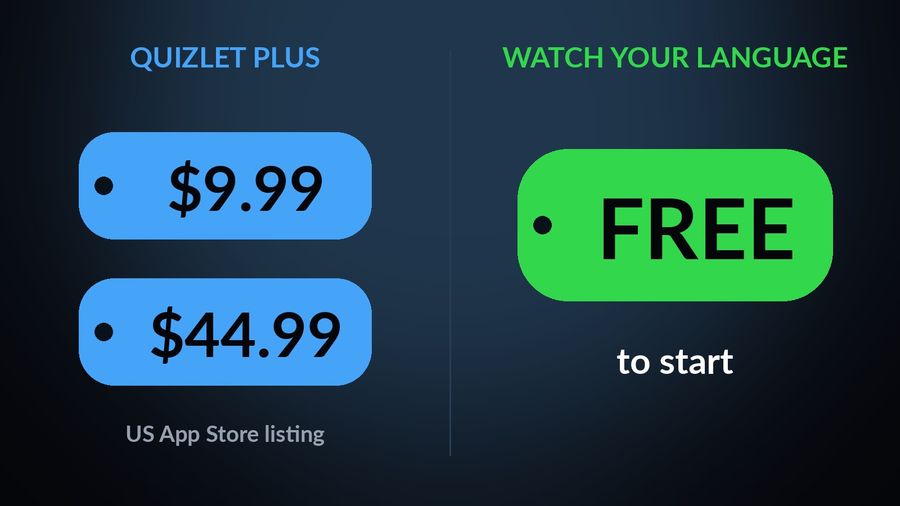
| Price | The US App Store listing shows Quizlet Plus purchases at $9.99 and $44.99, among others. | Free to start with pre-made word packs; a Premium subscription unlocks all packs and adding your own words. |
Key takeaways
- Verdict: Quizlet is stronger for exams and any subject, with practice tests, a Learn mode and sets from your notes; Watch Your Language does language vocabulary only.
- Quizlet lists no Apple Watch app; Watch Your Language shows words in widgets and watch complications, at a pace from every minute to once a week.
- Keep studying sets in Quizlet, then bring the words you keep missing into Watch Your Language by typing or importing a spreadsheet.
Where Quizlet does more
Quizlet is much broader than a vocabulary app, and for studying it is the more capable product.
- Any subject. It is a general study platform, not a language app, so it suits any material you want to learn. Watch Your Language only does language vocabulary.
- Several ways to practise. Flashcards, Learn mode and practice tests give you something to answer. Watch Your Language shows a word and its translation, and you decide whether you remembered it.
- Notes turned into sets. The listing says you can paste or upload notes and get a study set made for you. Watch Your Language imports a list you already have, but does not generate study material from notes.
- AI help. The listing mentions Ask Quizlet for AI-powered homework explanations. Watch Your Language has none.
Where Watch Your Language does more
Quizlet is a place you go to study, and its listing shows no Apple Watch app. Watch Your Language does not ask you to go anywhere.
- Words that arrive. They show on the iPhone Lock Screen and Home Screen, on iPad widgets, and as Apple Watch complications in inline, rectangular, circular and corner shapes.
- Built for languages. Packs are themed vocabulary for 25+ languages, so you do not need to make or find a set first.
- A word read aloud. The watch app reads each word and its example sentence aloud with text-to-speech.
- You choose the pace. From a new word every minute to one a week, with the ones you keep forgetting shown more often.
Which one to pick
Pick Quizlet if…
- You are preparing for a test and want flashcards, practice tests and adaptive practice.
- You study more than languages and want one tool for everything.
- You want to build your own sets from notes and are happy to sit down with them.
Pick Watch Your Language if…
- You only want vocabulary, and you want it to find you. Learning vocabulary without studying explains the idea.
- You would rather glance at a wrist than open a set. See learning a language on an Apple Watch.
- You have a word list already and want it to keep coming back.
Using both together
If you already keep sets in Quizlet, there is no need to give them up. Keep studying them there when you sit down for a test, then bring the words you keep missing into Watch Your Language by typing them in or importing a spreadsheet; see importing a vocabulary list from a spreadsheet. They then reach you on the Lock Screen and watch face between sessions. Glancing builds recognition, not the recall a practice test checks, so it supports your study rather than replacing it. If your concern is flashcards in general, Anki vs Quizlet compares two flashcard tools, and the best spaced repetition apps lists more.
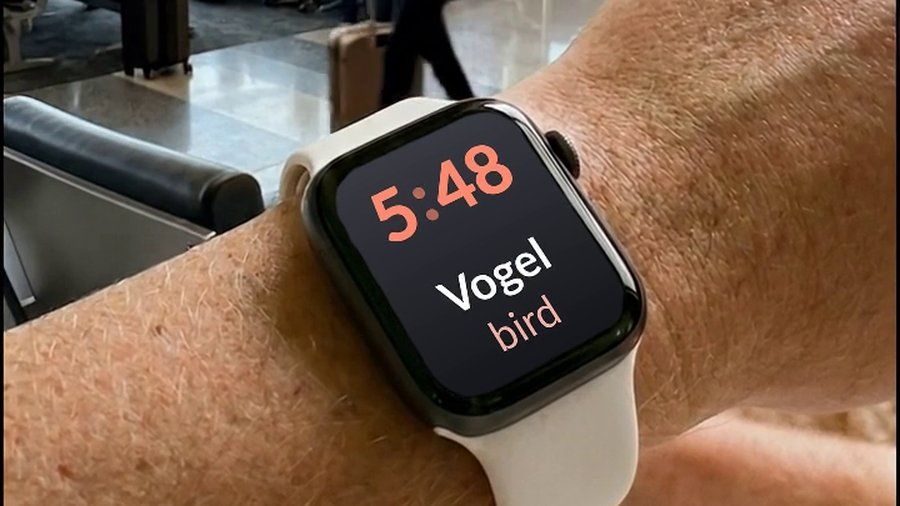

Watch Your Language has no practice tests, no study modes and no AI help, and Quizlet is the better choice for anyone studying for an exam. What the app offers is smaller: a few words at a time on your iPhone Lock Screen, Home Screen and Apple Watch face, with the ones you keep forgetting shown more often. It is free to start with pre-made packs, and Premium unlocks the rest, including your own words.

