 Paul L.
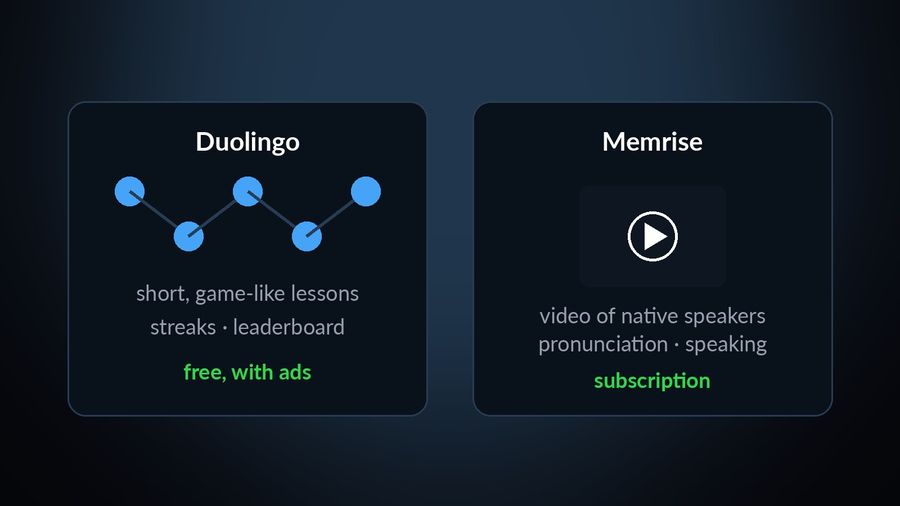
Duolingo and Memrise both teach vocabulary, but by different routes. Duolingo is free to use indefinitely, supported by ads and short, game-like exercises; Memrise builds its courses around video clips of native speakers, with a free start and a subscription for the rest. Neither app has an Apple Watch app. The comparison below is based on what each company states on its own site and App Store listing, checked in September 2026.
| Duolingo | Memrise | |
|---|---|---|
| Price model | Free to use indefinitely, supported by ads and an energy system in the app that runs down as you practise (hearts on the web); Super Duolingo removes the ads and that limit, and Duolingo Max, mobile-app only, adds AI features on top. | Free to start; its App Store listing offers monthly, three-month, annual and lifetime purchase options for the rest, priced by plan and, as with most App Store subscriptions, by country — check the listing where you are. |
| Platforms | iPhone, iPad and Apple Vision Pro, plus Android and the web; no Apple Watch app. | iPhone, iPad and Apple Vision, plus Android; no Apple Watch app. |
| Method | Short, game-like exercises — speaking, reading, listening and writing, from translation to multiple choice — with streaks and leaderboards. | Courses built around video clips of native speakers, with practice in pronunciation, verb conjugation, sentence building, listening and AI speaking practice, plus Exam Prep for tests such as IELTS and GCSE. |
| Who it suits | Someone who wants a free, low-commitment daily habit and does not mind ads or an energy limit on free practice. | Someone who would rather learn from video of real people than a gamified skill tree, and is ready to subscribe once the free start ends, in one of its 139 languages. |
Key takeaways
- Verdict: Duolingo is free, game-like and supported by ads; Memrise is free to start, then paid, built on video clips of native speakers and exam prep like IELTS and GCSE.
- Neither has an Apple Watch app. Memrise courses are its own: community courses moved to a separate site on 31 March 2024.
- Watch Your Language does not replace either course; it shows their words on your Lock Screen and watch face, brought back more often when you keep forgetting them.
How the courses differ
Duolingo's course is a skill tree of short, game-like lessons: a few minutes of translating a sentence, choosing a multiple-choice answer, listening, or speaking into the microphone, repeated daily, with streaks and a leaderboard keeping you coming back, as Duolingo's own App Store listing describes it. The free version works this way indefinitely; paying for Super Duolingo removes the ads and the daily energy limit without changing the lesson format itself.
Memrise takes a different route. Its courses are built around video clips of native speakers, "so you hear how locals actually talk," as its own site puts it, worked into practice covering pronunciation, verb conjugation, sentence building, listening and AI speaking practice. Its App Store listing lists 139 languages, from Spanish, Korean and Japanese to newly added ones such as Ancient Greek, Latin and Esperanto. The courses themselves are Memrise's own: the company's own account of a 2024 change says that, from 31 March of that year, courses made by community members moved off memrise.com and out of the apps to a separate site, and the main app now runs on "Memrise-approved courses" instead, some of them reworked from popular community courses with better translations and videos added.
Speaking, grammar and exam preparation
Speaking practice sits differently in each app. Duolingo's free and Super tiers include speaking exercises inside ordinary lessons, but the more open-ended practice — AI Roleplay and Video Call practice — belongs to Duolingo Max, its mobile-app-only paid tier, and covers a limited set of course pairs so far. Memrise's App Store listing describes AI Buddies for conversation practice, alongside a place to practise role-play in real-life scenarios.
On grammar, Duolingo's Explain My Answer gives a short, personalised note after an answer, right or wrong, free since January 2026 in its Spanish, French, German, Japanese, Portuguese, Italian and Korean courses. Memrise's home page does not describe an equivalent grammar-explanation feature; its practice centres on vocabulary, pronunciation and speaking instead, plus Exam Prep practice tests for exams such as IELTS and GCSE, with what its site calls "detailed feedback from AI on how to improve your grade."
Which one to pick
Pick Duolingo if…
- You want to start today for free, and do not mind ads or a daily energy limit on how much you can practise without paying.
- A game-like habit — streaks, short daily lessons, a leaderboard — is what actually gets you to open the app.
- You are comfortable picking up grammar from a note after you answer, rather than an explanation before you are tested.
Pick Memrise if…
- You would rather learn from video of people actually speaking than from a gamified skill tree.
- You are studying toward a specific exam, such as IELTS or GCSE, and want practice tests with AI feedback.
- You are ready to subscribe for the parts beyond the free start, once you have checked the price in your own country.
Where passive vocabulary fits alongside either
Both apps teach; neither puts what you have learned back in front of you between sessions. Close Duolingo or Memrise and the vocabulary from that lesson competes with everything else for your attention until you open the app again. Watch Your Language does not attempt either app's job — it is a passive-vocabulary tool, with no lessons, no grammar explanations and no speaking or listening practice of its own. For a look at what real instruction involves, see the best ways to learn a language.
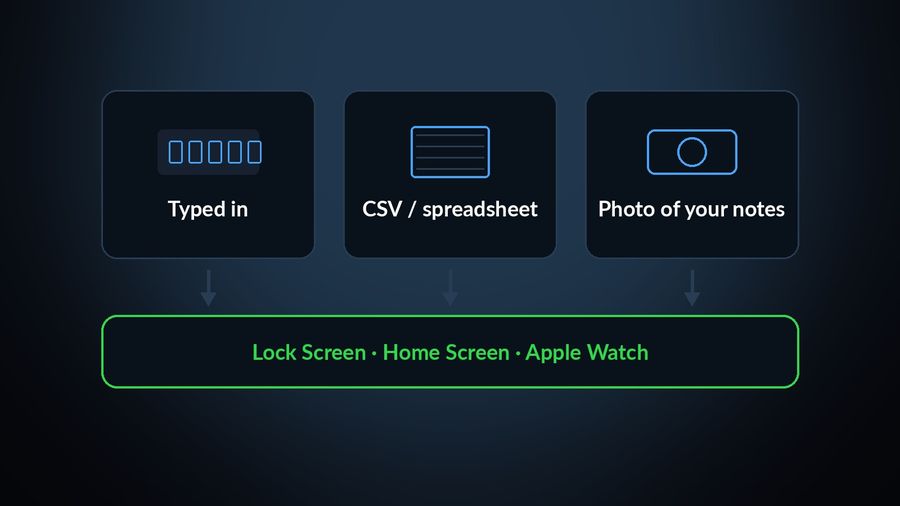
What it does instead is take the words a lesson or course already introduced — typed in by hand, imported from a CSV or spreadsheet, or captured with the camera from your own handwritten notes — and show them a few at a time on your iPhone Lock Screen and Home Screen, on iPad, and as Apple Watch complications on the watch face, scheduled by how often you keep forgetting each one. For how that scheduling works, see spaced repetition, explained.
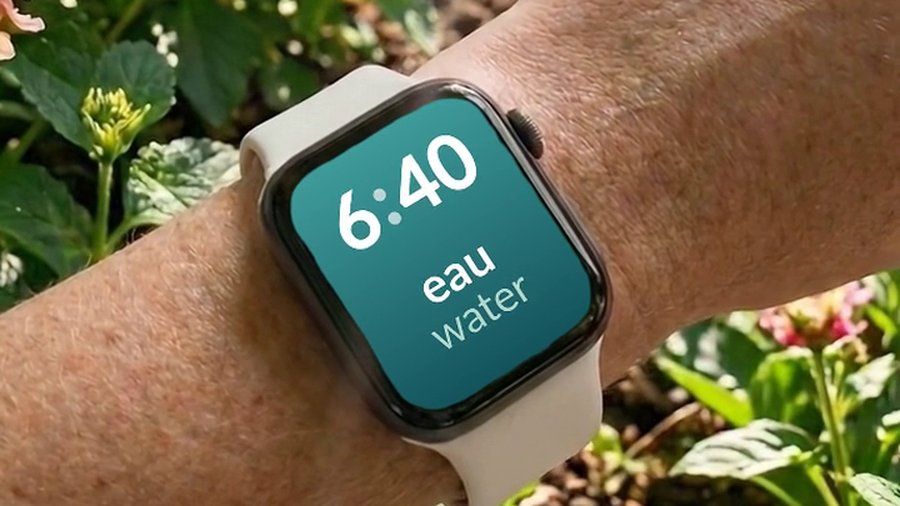

Watch Your Language does not compete with Duolingo's lessons or Memrise's courses — it has none of its own to compete with. It keeps the vocabulary either one taught in view once the lesson ends: a handful of words at a time on your iPhone Lock Screen and Home Screen, on iPad, and as Apple Watch complications on the watch face, with the words you keep forgetting brought back more often. Typed-in words, a CSV or spreadsheet import, or a photo of your own handwritten notes all feed the same schedule, so a course's vocabulary can end up on your wrist too.

