 Eleanora R.
A busy professional does not need one language app; they need whichever job is missing filled without a fixed appointment on an already full calendar. For a short, structured lesson, Babbel says a typical lesson takes about six minutes, and Busuu describes its lessons as bite-sized. For a commute or a walk, Pimsleur is built to be listened to rather than looked at. For conversation booked around meetings rather than a weekly class, italki and Preply connect you with a tutor directly. Duolingo stays the free, no-commitment way to keep a daily habit going. None of them keeps the vocabulary they teach in view once the session ends — which is the one job Watch Your Language does, on an iPhone and Apple Watch, alongside whichever handles actual instruction.
Key takeaways
- Match the job to the tool: Babbel (about 6-minute lessons) or Busuu for short courses, Pimsleur for commutes, italki or Preply for tutors, Duolingo for a free habit.
- None of them keeps taught vocabulary in view after the session ends, which is the one job Watch Your Language does on iPhone and Apple Watch.
- Add your own work terms by typing, importing a CSV, Excel or Google Sheets file, or scanning handwritten notes so a lesson's words reach your wrist.
How we chose
Four things matter more to someone with little time: how short a single session can be, whether it works without sitting at a desk, whether it can absorb vocabulary specific to your own work, and how easily a tutor session moves around a calendar instead of anchoring to a weekly slot. We checked what each product states about these on its own site and App Store listing in September 2026; every claim below links to the page it came from, and anything we could not confirm was left out.
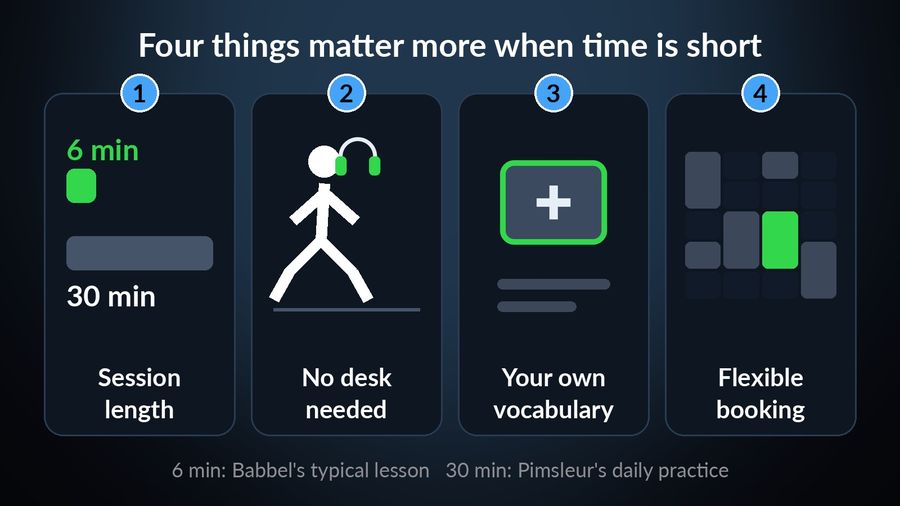
This is also why the list is not ranked as one winner and five runners-up. A structured course, an audio lesson and a tutor conversation solve different problems, and splitting the job into a small protected slot and everything else tends to survive a busy week better than one app alone.
Babbel
Babbel is a structured, paid course: registration and the first lesson of every course are free to try, and a subscription, priced by location and platform, is required for the rest. Its own method page states that "a typical lesson takes about 6 minutes to finish", and grammar comes with short explanations and practice in a real dialogue. It works on the web, iPhone/iPad (iOS 17+) and Android (9.0+); there is no Apple Watch app. Who it suits: someone ready to commit to a fixed course in short daily doses, in one of Babbel's 13 languages for English speakers. What it lacks: its speech recognition works best in Chrome, and in Edge, Firefox or Safari is limited to German, Italian, Spanish and French.
Busuu
Busuu pairs bite-sized lessons with feedback from its learner community. Its own site offers "feedback from fluent speakers in the Busuu Community". Its App Store listing describes "bite-sized lessons, plenty of practice" and a "Smart Review" feature that stores the grammar and vocabulary from your lessons so they stick, says you can learn up to 14 languages, and requires iOS 18 or iPadOS 18; its compatibility section lists iPhone, iPad and Apple Vision, with no Apple Watch app. Its listing says a lot of the features are free, and its subscriptions start from $6.99 a month on the US App Store. Who it suits: someone who wants short lessons plus a person, not just software, checking their writing. What it lacks: that feedback comes from the community rather than a teacher you book, so it is not live conversation.
Pimsleur
Pimsleur is built to be used without looking at a screen. Its site describes the Pimsleur Method as audio-first, spaced-repetition instruction for "while commuting, ... while jogging, ... while cooking", with Apple CarPlay and Android Auto support and offline listening. Its App Store listing pitches "just 30 minutes of language learning practice a day", says Pimsleur teaches 50+ languages, and lists an All Access subscription at $20.99 a month in US prices, with single courses "starting at only $150". Its compatibility section lists iPhone, iPad, iPod touch, Mac and Apple Vision — no Apple Watch. Who it suits: someone whose dead time is spent walking, driving or on transit rather than sitting with a phone out. What it lacks: a 30-minute lesson is longer than a glance, and beyond a free trial lesson it is paid.
italki and Preply (tutors)
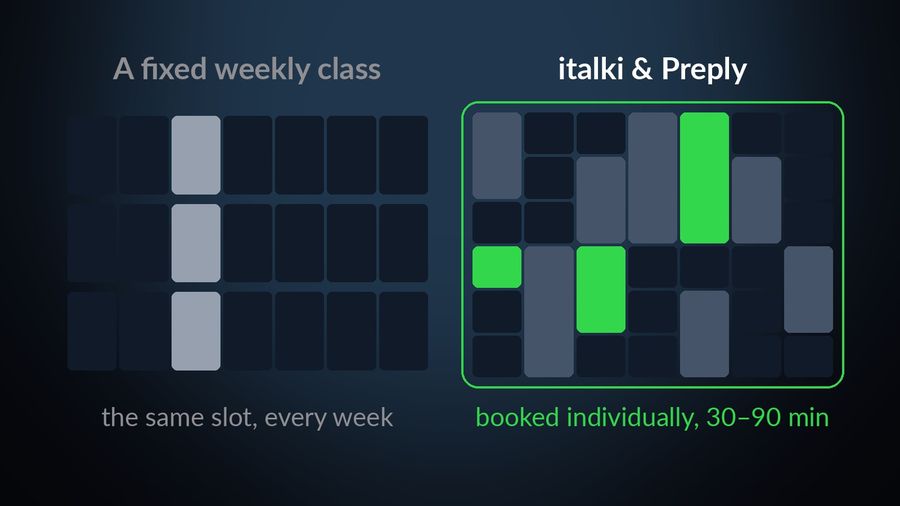
Both connect learners with a human tutor and let you set the schedule yourself, which matters once your week stops repeating. italki says it has 20,000+ teachers across 150+ languages, promises "no subscriptions", offers lessons of 30 to 90 minutes booked individually (sample rates on its home page start at USD 8), and offers instant lessons on short notice. Preply says it has 100,000+ tutors, lets you "choose how many lessons you want to take", lets you try another tutor for free if you are not satisfied, and runs a separate corporate training track for teams. Who they suit: someone who wants to speak with a person, on whatever afternoon has a free half hour. What they lack: a live lesson still needs booking and showing up, so neither fills the gaps with no half hour in them.
Duolingo
Duolingo is free to use indefinitely, supported by ads and an energy system limiting free practice (hearts on the web), with Super Duolingo offering "no ads" and "Unlimited Energy". The compatibility section of its App Store listing lists iPhone, iPad and Apple Vision — no Apple Watch app. Explain My Answer, a note on why an answer was right or wrong, has been free in its Spanish, French, German, Japanese, Portuguese, Italian and Korean courses since January 2026. Who it suits: someone who wants a free, low-commitment habit and does not mind ads. What it lacks: it is still a session you open and a streak you can break.
Watch Your Language
Watch Your Language is not a course, and it is the only entry here that needs no session at all. It is a passive-vocabulary tool for iPhone and Apple Watch — no lessons, no grammar, no speaking or listening practice. Words from its 25+ languages appear a few at a time in iPhone Lock Screen, Home Screen and iPad widgets and in Apple Watch complications, scheduled to bring back the ones you keep forgetting, at a pace you set from once a minute to once a week. You can also add your own words — typed in, imported from a CSV, Excel or Google Sheets file, or captured with the camera from handwritten notes — which is how a work-specific term from a Babbel course or a tutor call ends up on your wrist too. It is free to start; a Premium subscription unlocks the rest and custom words. Who it suits: someone who already has a lesson, course or tutor for instruction and wants that vocabulary to survive the rest of the day.
| App | Price model | Session | Best for a busy professional |
|---|---|---|---|
| Babbel | First lesson free per course, then subscription | ~6-minute lessons | A short, structured course |
| Busuu | Free download; Premium from $6.99/mo (US App Store) | Bite-sized lessons | Short lessons plus human feedback |
| Pimsleur | $20.99/mo (US App Store) or courses from $150 | ~30 min, audio-first | Hands-free listening on a commute |
| italki / Preply | Per lesson, no subscription on italki | 30–90 min on italki, booked by you | Real conversation on your own calendar |
| Duolingo | Free with ads; Super Duolingo removes them | Self-paced lessons | A free daily habit |
| Watch Your Language | Free to start; Premium unlocks the rest | No session — glances only | Keeping any of the above in view between sessions |
Which one to pick
- A short course you can finish in a coffee break: pick Babbel or Busuu, and use Busuu if you also want fluent speakers in its community giving feedback on your writing.
- Dead time is a commute, a drive or a walk: pick Pimsleur.
- You want to actually speak with someone on whatever afternoon has a free half hour: pick italki, or Preply if your employer might cover its corporate training.
- A free habit, and ads do not bother you: pick Duolingo.
- Whichever you pick, add Watch Your Language alongside it so that lesson's or call's vocabulary keeps showing up on your iPhone and Apple Watch between sessions.
For splitting a language habit into a protected slot and everything else, see how to learn a language when you have no time; for how the scheduling works, see spaced repetition, explained.
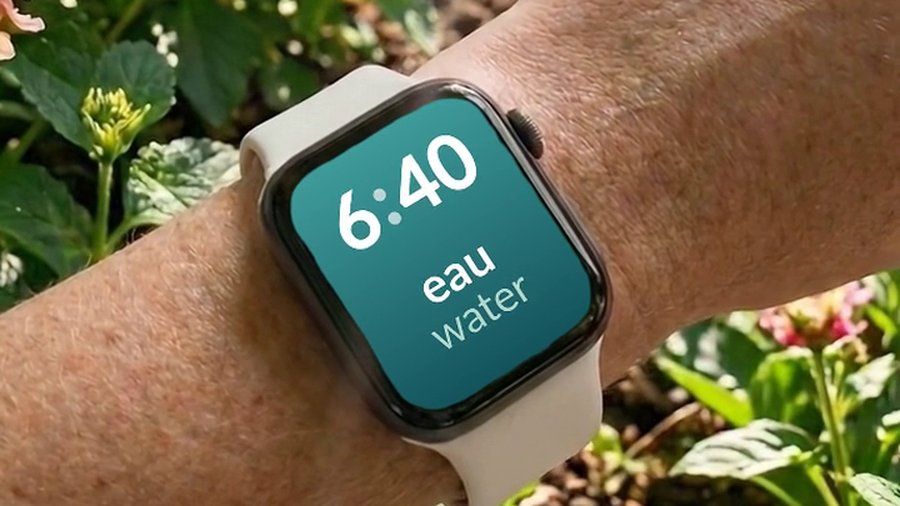

Watch Your Language does not replace a course or a tutor — it has no lessons of its own. What it does is keep the vocabulary any of them produced in view afterward: a few words at a time on your iPhone Lock Screen and Home Screen and as Apple Watch complications, with the ones you are forgetting brought back more often. Add your own words, typed in, imported, or scanned from handwritten notes, and a work term from a lesson or a tutor call can end up on your wrist.

