 Paul L.
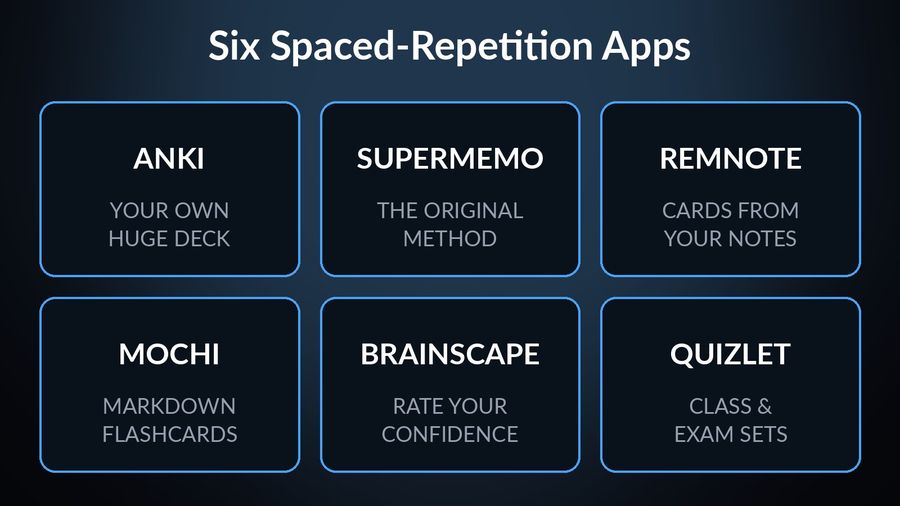
Anki, SuperMemo, RemNote, Mochi, Brainscape and Quizlet all use some form of spaced repetition to decide when a card comes back, and each one is built around opening the app and working through a queue. Watch Your Language uses the same idea for a narrower job: vocabulary shown in an iPhone widget and on an Apple Watch face, with nothing to open and no queue to clear. Below is what each of the six does well, what it leaves out, and which one fits your subject and your schedule.
Key takeaways
- Anki gives the most scheduling control (SM-2 or FSRS, one-time $24.99 iPhone app); RemNote and Mochi build cards from notes; Brainscape uses a 1-to-5 confidence rating.
- Quizlet and SuperMemo cost more to get the full experience: Quizlet in-app purchases start at $9.99 and SuperMemo Premium at $9.99 on the US App Store.
- Watch Your Language removes the session for vocabulary only (Lock Screen, widgets, watch face); it cannot make cards for other subjects or teach grammar.
How we chose
We compared what each app offers, from its own site and App Store listing, in September 2026: the scheduling method, the platforms it runs on, whether it lets you add your own material, and how it prices access. This is a comparison of public information, not a hands-on trial, so every claim below links to the page it came from.
Anki (AnkiMobile on iOS)
Who it is for: anyone who wants one large, fully personal deck — a huge vocabulary list, a med-school glossary, or a deck downloaded from another user — and does not mind maintaining it themselves.
What it does better: the scheduling. Anki lets you choose between its original algorithm and FSRS, "an alternative to Anki's legacy SuperMemo 2 (SM-2) algorithm". The desktop app is free on Windows, macOS and Linux, with AnkiDroid free on Android, and AnkiMobile on iOS is a one-time $24.99 purchase on the US App Store, not a subscription.
What it lacks: a gentle start. AnkiMobile's own listing asks you to start with the computer version of Anki before you think about buying the iPhone app.
SuperMemo
Who it is for: learners who want the method from the team it is named after — SuperMemo's own site says its team pioneered the method and continues to refine it. Its app is built around language courses, and you can also create your own flashcards.
What it does better: its own site describes the method as "developed by the SuperMemo team" to "repeat material at the optimal time for the brain". Its App Store listing covers iPhone, iPad and Apple silicon Macs, and its site adds Android and a web browser.
What it lacks: a simple price. Its US App Store listing shows SuperMemo.com Premium at $9.99 and a 12-month Premium subscription at $99.99, with individual courses sold separately at prices up to $249.99 — check the App Store in your own country.
RemNote
Who it is for: students who want their flashcards to come out of the notes they are already taking, rather than typed up as a separate deck.
What it does better: it combines note-taking, PDF annotation, flashcards and spaced repetition in one app, with "Smart Flashcards" created directly from your notes. Its site lists desktop apps alongside iOS and Android.
What it lacks: a generous free tier past the basics. The free plan covers unlimited notes and flashcards but caps PDF annotation and image-occlusion cards; Pro starts at $8 a month, $96 billed annually.
Mochi
Who it is for: people who already take notes in markdown and want flashcards to fall out of that habit, rather than switching to a separate app to build them.
What it does better: it lets you "take notes and make flashcards using markdown, then study them using spaced repetition". It runs on Mac, Windows, Linux, iOS, Android and the web, and the free tier works fully offline with no sign-up required.
What it lacks: free sync. Syncing your cards across devices, publishing a deck, or using its AI features needs the $5-a-month Pro plan.
Brainscape
Who it is for: anyone who finds grading themselves "right" or "wrong" too blunt, and would rather set the pace by how confident a card actually felt.
What it does better: Confidence-Based Repetition asks you to rate your confidence in each card from 1 to 5, and brings the cards you rated low back sooner. Its free plan allows unlimited flashcard creation and studying decks other users have shared.
What it lacks: a cheap way into the rest. Its pricing page puts Pro at $7.99 a month on a yearly plan, and its US App Store listing shows Pro purchases of $19.99, $59.99 and $95.99, plus a $199.99 lifetime option.
Quizlet
Who it is for: students working toward a specific class or exam, especially when a teacher or classmate has already built the set.
What it does better: its Learn mode is "adaptive practice that meets you at your level," and the app says it "intelligently resurfaces exactly what you need to review, right when you need it" — spaced repetition folded into a wider set of study modes, including practice tests and games.
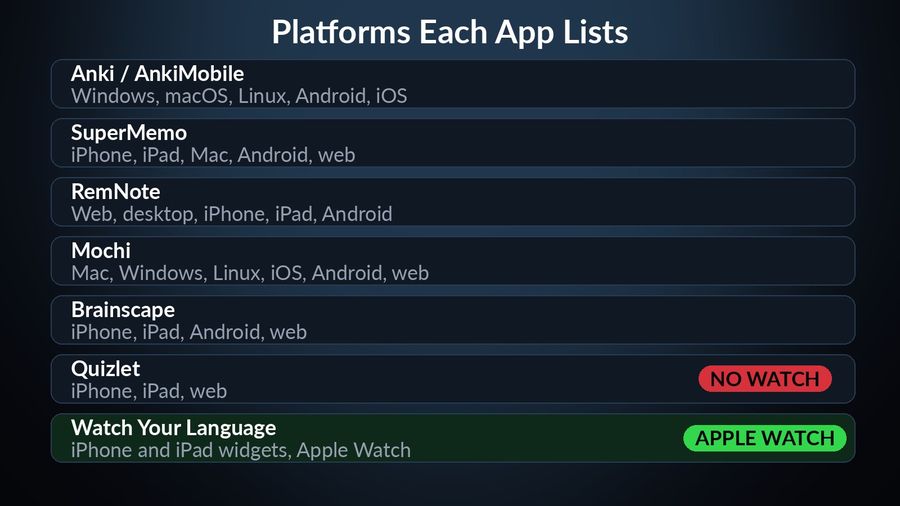
What it lacks: a cheap way into the fuller modes. its in-app purchases, Quizlet Plus among them, start at $9.99 on the US App Store; the listing does not say which price is monthly and which is annual, so check the options shown in your own account. Its listing's compatibility section names iPhone, iPad and Apple Vision, with no Apple Watch or Mac version.
Watch Your Language
Who it is for: someone who has tried a flashcard app before and knows they will not open it every day, no matter how good the algorithm behind it is.
What it does better: it removes the session. Vocabulary from its 25+ languages appears in iPhone Lock Screen and Home Screen widgets, iPad widgets, and Apple Watch complications, and it decides what to show next with spaced repetition — bringing back the words you keep forgetting, at an interval you set yourself, from every minute to once a week. With Premium, you can add your own words too: typed in, imported from a CSV, Excel or Google Sheets file, or scanned from handwritten notes with the camera, with transliteration for languages such as Japanese, Korean and Chinese.
What it lacks: everything the six apps above are built for. It only makes cards for vocabulary, not for an arbitrary fact or a biology diagram, and it does not teach grammar or run speaking or listening practice — for those, one of the apps above is the better fit.
How the seven compare
| App | Method | Platforms | Own content | Price |
|---|---|---|---|---|
| Anki / AnkiMobile | Flashcards, SM-2 or FSRS scheduling | Windows, macOS, Linux, Android, iOS | Yes — any deck | Desktop and Android free; AnkiMobile $24.99 one-time (US App Store) |
| SuperMemo | Flashcards, SuperMemo's own algorithm | iPhone, iPad, Mac, Android, web | Yes | Premium from $9.99; $99.99 for 12 months (US App Store) |
| RemNote | Notes plus flashcards, spaced repetition | Web, desktop, iPhone, iPad, Android | Yes — cards built from notes | Free plan; Pro from $8/mo billed yearly |
| Mochi | Markdown notes plus flashcards, spaced repetition | Mac, Windows, Linux, iOS, Android, web | Yes | Free offline; Pro $5/mo for sync |
| Brainscape | Confidence-Based Repetition | iPhone, iPad, Android, web | Yes, plus shared decks | Free tier; Pro $7.99/mo on a yearly plan |
| Quizlet | Study sets, Learn mode, spaced repetition | iPhone, iPad, web | Yes | Free to download; in-app purchases from $9.99 (US App Store) |
| Watch Your Language | Passive spaced repetition, no session | iPhone and iPad widgets, Apple Watch | Yes, with Premium — type, import or scan | Free to start; Premium unlocks all packs |
Which one to pick
- Anki for one deck you fully control, a choice of scheduling algorithms, and no subscription.
- SuperMemo for the method from the team that built it, if a subscription does not put you off.
- RemNote or Mochi if your flashcards should come out of notes you are already taking.
- Brainscape if grading yourself right or wrong feels too crude for you.
- Quizlet if you are studying toward a specific class or exam.
Pick Watch Your Language if the honest answer is that you will not open any of the six — but you will glance at your watch. It will not replace a deck built for an exam, but for keeping a language's vocabulary alive with no session to remember, it is the one built for exactly that. You can check your current vocabulary level first, or read about how vocabulary can grow without a study session.
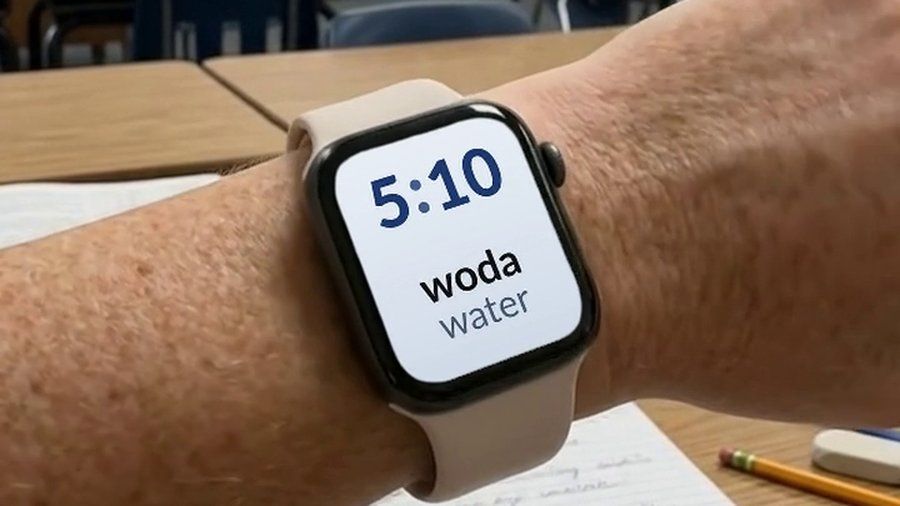

Watch Your Language is not a general flashcard app: you cannot build a card for a biology term or a law case, and it does not teach grammar or run practice conversations. It is a spaced-repetition tool built for one thing — vocabulary from its 25+ languages, shown a few words at a time on your iPhone widgets and Apple Watch face, with the word you keep forgetting brought back more often. If what stopped you from sticking with Anki or Quizlet was the review session itself, this is the app built to remove it. It is free to start with pre-made packs; a Premium subscription unlocks the rest.

