 Eleanora R.
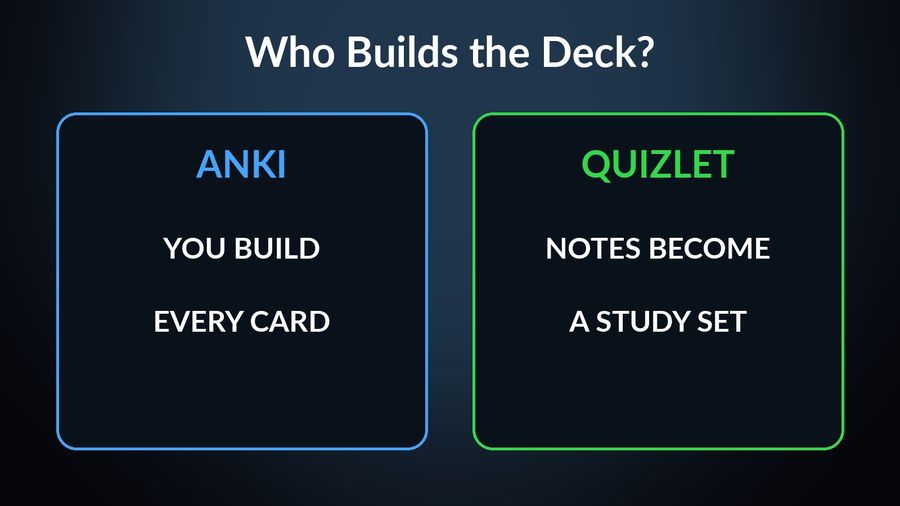
Anki and Quizlet are both flashcard tools built around spaced repetition, but they start from different assumptions about what studying should cost and who builds the deck. Anki is free on desktop and Android, with a one-time paid app for iPhone, and expects you to build or import your own cards. Quizlet is free to download, with an optional subscription, and can generate a study set for you from notes you already have. Everything below comes from what each company states on its own site or App Store page, checked in September 2026.
| Anki | Quizlet | |
|---|---|---|
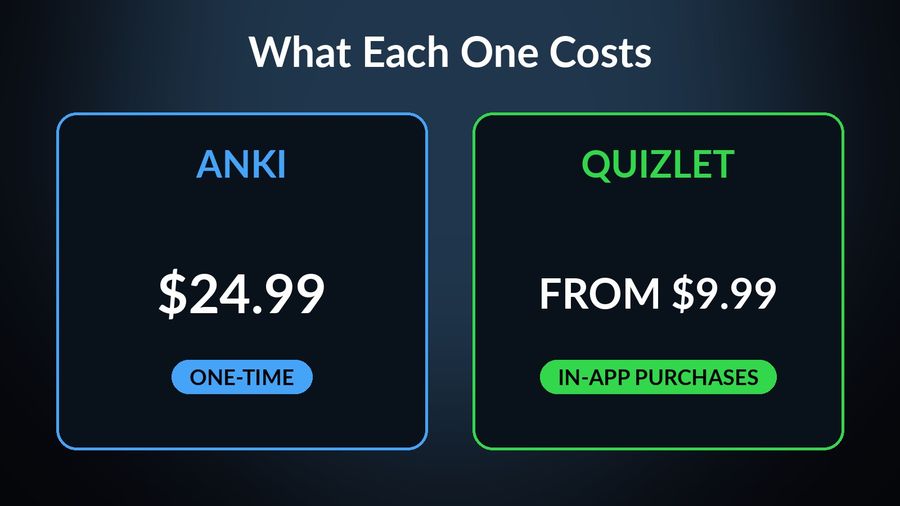
| Price | Desktop for Windows, macOS and Linux, and AnkiDroid for Android, are free; AnkiMobile for iPhone and iPad is a one-time $24.99 purchase on the US App Store, not a subscription. | Free to download, with in-app purchases listed on its App Store page — Quizlet Plus, Quizlet Plus Unlimited, Quizlet Teacher and Quizlet Go — priced from $9.99 on the US App Store; the listing does not label which price is monthly or annual, so check the options shown in your own account. |
| Platforms | Windows, macOS, Linux and Android, plus iPhone, iPad and Apple Vision; a free sync service, AnkiWeb, keeps cards in step across devices. No Apple Watch app listed. | iPhone, iPad and Apple Vision, requiring iOS 17 or later. No Apple Watch app listed. |
| Method | Spaced repetition on the SM2 or FSRS scheduling algorithms, with review timing you can change, reviewing cards you build, edit or import yourself. | An adaptive "Learn" mode plus spaced repetition, practice tests and a study game, on sets it can build for you from typed notes or a recorded lecture. |
| Who it suits | Someone who already has, or wants to build, a large personal deck, and wants to see and tune the algorithm behind it. | Someone who wants a study set made quickly from existing notes, plus practice tests, and does not mind a subscription for the extra features. |
Key takeaways
- Anki expects you to build or import your own cards; Quizlet can turn typed notes or a recorded lecture into a study set for you.
- Anki is free on desktop and Android with a one-time $24.99 iPhone app; Quizlet is free to download with paid plans from $9.99. Neither lists an Apple Watch app.
- Pick Anki to tune scheduling on a big personal deck, Quizlet for quick sets and practice tests; Watch Your Language keeps either deck's words in view.
How the two differ
The biggest split is who does the work of building a deck. Anki assumes you already have, or want to build, your own cards: its App Store listing describes support for large card decks - even 100,000+ cards and a search facility for finding specific ones, which reads like a feature built for someone managing a serious personal collection rather than a single class's vocabulary list. Quizlet goes the other way: its listing says you can type, paste, or upload your notes and Quizlet builds a complete study set for you, and can turn a recorded or uploaded lecture into flashcards automatically.
The scheduling differs too. AnkiMobile's own page describes access to SM2 and FSRS scheduling algorithms, both named, and Anki's own site says you can easily change the timing of reviews — the same kind of spacing this site explains in spaced repetition, explained. Quizlet's spaced repetition is less exposed: its listing says it "intelligently resurfaces exactly what you need to review, right when you need it", without naming the algorithm behind it, and pairs it with the adaptive Learn mode and practice tests rather than a single review queue.
Cost and where each app runs
Anki's core apps are free: the desktop program for Windows, macOS and Linux, and AnkiDroid on Android, both described on Anki's own site as free to use. The one paid piece is AnkiMobile for iPhone and iPad, a $24.99 one-time purchase on the US App Store rather than a subscription, which its App Store page says can then be used "on multiple devices in a household using the same Apple ID". A free sync service, AnkiWeb, keeps cards in step across whichever of these you use. None of Anki's own pages list an Apple Watch app.
Quizlet's iPhone app is free to download, with a handful of in-app purchases on its App Store page — Quizlet Plus, Quizlet Plus Unlimited, Quizlet Teacher and Quizlet Go, priced from $9.99 on the US App Store. The listing does not say which figure is the monthly rate and which is annual, so the honest answer is to check the exact options your own account is shown rather than assume a price here. Its compatibility section names iPhone, iPad and Apple Vision, requiring iOS 17 or later; it does not list an Apple Watch app either.
Which one to pick
Pick Anki if…
- You already have, or want to build, a large personal deck, and want a scheduling algorithm you can see and adjust.
- You mainly study on a desktop or Android device and are willing to pay once, rather than monthly, for the iPhone app.
- You would rather assemble cards yourself than have an app summarise your notes for you.
Pick Quizlet if…
- You want a study set built for you from notes you already have, or a lecture you can record or upload.
- Practice tests, an adaptive Learn mode and a study game matter more to you than tuning a spacing algorithm yourself.
- You would rather start free everywhere and decide later whether a subscription is worth it.
Where passive vocabulary fits alongside either
Both apps still ask you to open a queue and sit through it, which is the part passive learning is built to relieve rather than replace. Watch Your Language does not compete with either one's review session — it is a passive-vocabulary tool with no decks to build and no lesson of its own. It does not teach grammar or run practice tests; it decides which word to show next from the ones you keep forgetting, and how often, from every minute to once a week.
With Premium, words you have typed in, imported from a CSV, Excel or Google Sheets file, or captured from handwritten notes with the camera, appear a few at a time on your iPhone Lock Screen and Home Screen, on iPad, and as Apple Watch complications on the watch face. Nothing about that setup replaces the review session in either Anki or Quizlet — it just keeps the same words in view once that session ends.
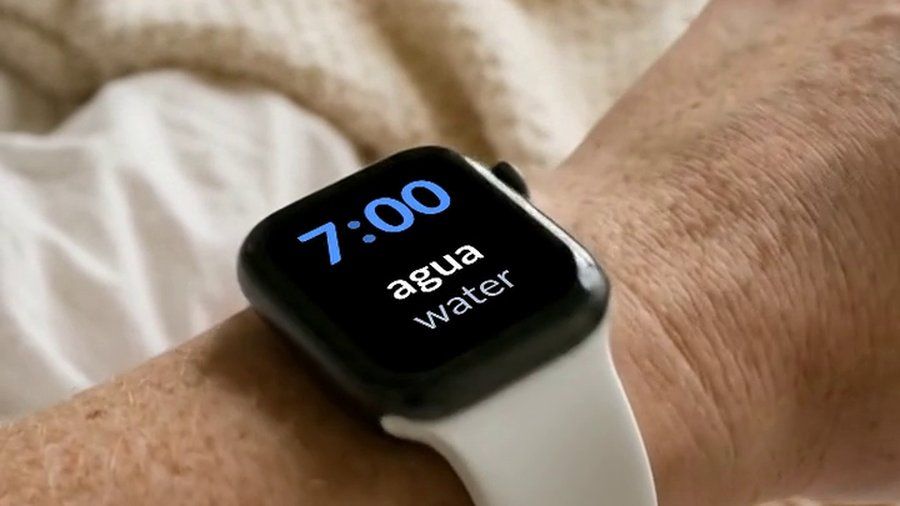

Watch Your Language is not a substitute for Anki's control over scheduling or for Quizlet's practice tests and Learn mode — it has no review queue of its own to compete with either. Add the words from whichever deck or set you already keep as your own vocabulary, typed in or imported with Premium, and they show up a few at a time on your iPhone Lock Screen and Apple Watch face, with the ones you keep missing brought back more often, so the deck stays alive between the sessions you actually sit down for.

