 Eleanora R.
Busuu is a course with feedback from other people, and Watch Your Language is a way to keep words in view. If you want lessons plus corrections from native speakers on what you write and say, pick Busuu. If you already have a course and lose the vocabulary between sessions, Watch Your Language shows it on your iPhone Lock Screen, Home Screen and Apple Watch face without a session to open. The table uses what each product says on its own site or App Store page, checked in October 2026.
| Busuu | Watch Your Language | |
|---|---|---|
| What it teaches | “Expert-designed lessons” that, per its site, run from A1 to C1. | Nothing on its own. No lessons, no grammar explanations. |
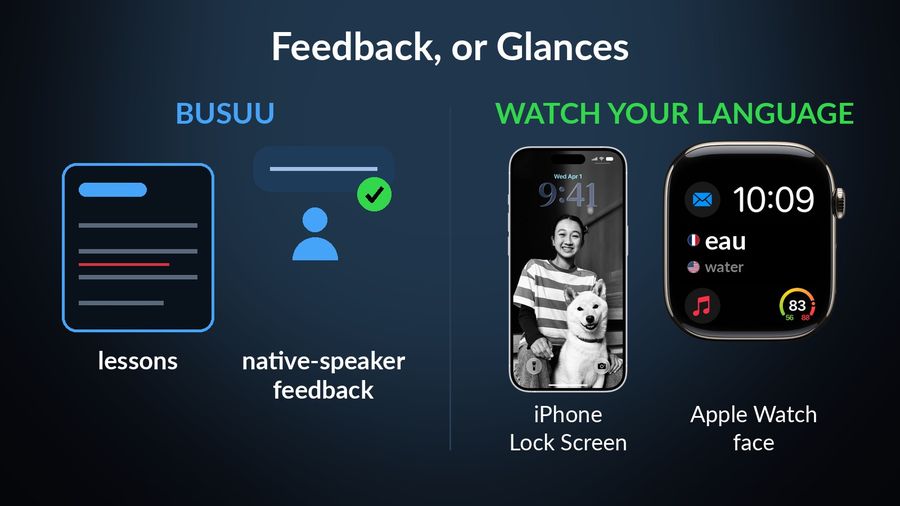
| Feedback | The App Store page describes lessons combined with feedback from native speakers, and the site points to feedback from fluent speakers in the Busuu community. | None. The watch app reads words aloud with text-to-speech; nothing checks what you say or write. |
| Languages | Courses in 14 languages per its App Store listing, including Spanish, French, Korean, Arabic and Polish. | 25+ languages. |
| Platforms | Its site describes iOS, Android and web. The App Store compatibility section lists iPhone, iPad and Apple Vision, with no Apple Watch app. | iPhone and Apple Watch, with widgets on iPad too. |
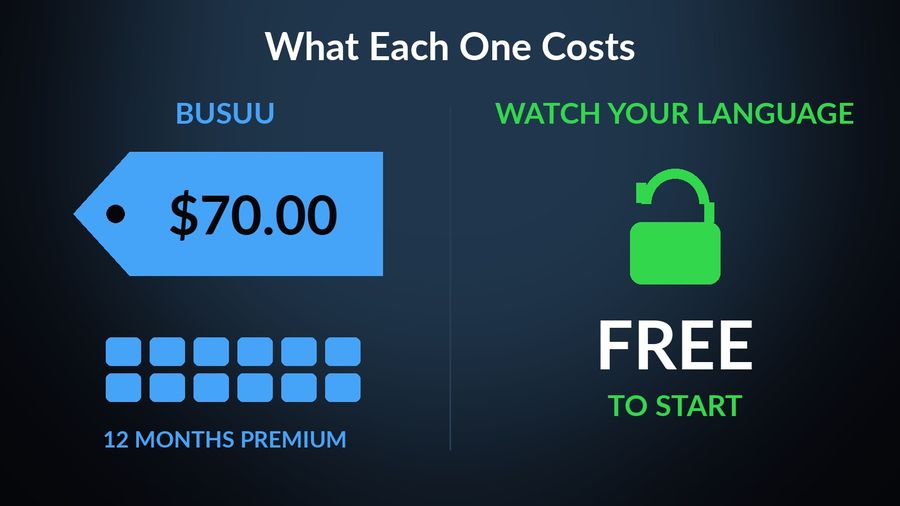
| Price | The site offers learning for free. Its US App Store listing shows purchases including 12 Months Premium at $70.00 and 12 Months Premium Plus at $139.99. | Free to start with pre-made word packs; a Premium subscription unlocks all packs and adding your own words. |
Key takeaways
- Verdict: Busuu is better for being taught and corrected, with lessons from A1 to C1 and community feedback; Watch Your Language has no lessons or feedback.
- Busuu lists no Apple Watch app and its lessons live inside the app; Watch Your Language shows words in widgets and watch complications, with no session to open.
- Use both: Busuu for lessons and corrections, and add the words you want to keep so the ones you forget return more often.
Where Busuu does more
Busuu does what a vocabulary tool cannot, which is to answer you.
- Corrections from people. You write or speak, and native speakers in the community correct you. Watch Your Language has no community, no exercises and nothing that responds.
- A course with levels. The site describes lessons built to cover complete language skills across the levels. Watch Your Language has no lessons or levels of its own, only themed word packs.
- Android and the web. Busuu is available beyond Apple devices; Watch Your Language is iPhone and Apple Watch only.
- A free way in. The site leads with learning for free, so you can judge the course before paying.
Where Watch Your Language does more
Busuu's listing shows no Apple Watch app so its lessons live inside the app. Watch Your Language lives outside it.
- No session to open. Words appear on the iPhone Lock Screen and Home Screen, on iPad widgets, and as Apple Watch complications in inline, rectangular, circular and corner shapes.
- Your own list. With Premium, type words in, import a CSV, Excel or Google Sheets file, or scan handwritten notes. See importing a vocabulary list.
- Review that follows your mistakes. The words you keep forgetting come back more often, and you choose how often a word changes, from every minute to once a week.
- More languages. It covers 28, against 14 in Busuu's listing.
Which one to pick
Pick Busuu if…
- You want a course that teaches you and corrections from real speakers on what you write and say.
- You want to study on Android or on the web as well as on iPhone.
- You are learning one of its 14 languages and can sit down for a lesson.
Pick Watch Your Language if…
- You do not need feedback, only a way to keep the words you have met in front of you. See what passive exposure can and cannot do.
- You want vocabulary on your wrist through the day.
- Your language is not on Busuu's list.
Using both together
Use Busuu for lessons and corrections and Watch Your Language for the vocabulary between them. When a lesson introduces words you want to keep, type them in or import the list, and they appear on your Lock Screen and watch face a few at a time, the missed ones more often. It will not teach you to write or speak, so it supports the course instead of replacing it. For the same split with another course app, read Watch Your Language vs Babbel, or see the best Apple Watch apps for learning a language.
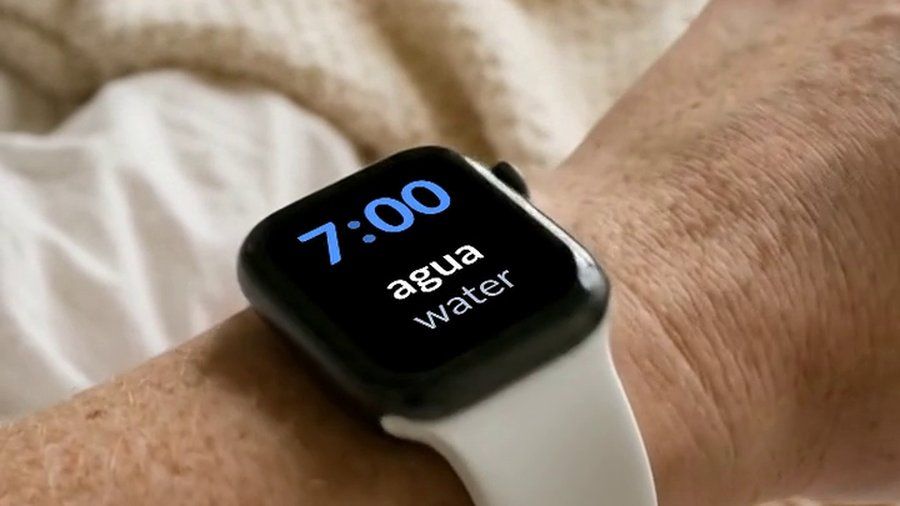

Watch Your Language gives no lessons and no feedback, and Busuu is the better choice for anyone who wants to be taught and corrected. What the app adds is vocabulary that stays in view: a few words at a time on your iPhone Lock Screen, Home Screen and Apple Watch face, with the ones you keep forgetting shown more often. It is free to start with pre-made packs, and Premium unlocks the rest, including your own words.

