 Eleanora R.
Anki and Watch Your Language ask for opposite things. Anki gives you a flashcard deck you build or import yourself, reviewed in a queue on a schedule you can tune down to the algorithm. Watch Your Language has no deck to build and no queue to open: it decides which word to show next and puts it on your iPhone Lock Screen, Home Screen and Apple Watch face on its own. If what you want is a serious personal deck with real control over it, Anki is the stronger tool by a wide margin, and this comparison says so plainly rather than pretend otherwise. If the honest answer is that you will not open a deck no matter how good it is, Watch Your Language is built for what happens instead. Everything below comes from what each product states on its own site or App Store page, checked in September 2026.
| Anki | Watch Your Language | |
|---|---|---|
| Price | The desktop app for Windows, macOS and Linux, and AnkiDroid on Android, are free; AnkiMobile for iPhone and iPad is a one-time $24.99 purchase on the US App Store, not a subscription. | Free to start with pre-made word packs; a Premium subscription unlocks all packs and adding your own words. |
| Platforms | Windows, macOS, Linux and Android, plus iPhone, iPad and Apple Vision, synced across devices through the free AnkiWeb service. No Apple Watch app. | iPhone and Apple Watch, with widgets on iPad too. |
| Method | Flashcards you build, edit or import, reviewed with the SM-2 or FSRS scheduling algorithms; you can change the timing of reviews yourself. | Spaced repetition that decides which word to show next from the ones you keep forgetting; you choose how often it changes, from every minute to once a week. |
| Who it suits | Someone who already has, or wants to build, a large personal deck, and wants images, audio, cloze cards and fine control over scheduling. | Someone who will not open a flashcard app regularly, but will glance at a watch or a Lock Screen. |
Key takeaways
- Verdict: Anki is the stronger tool for a serious personal deck (cloze cards, images, add-ons, tunable scheduling); Watch Your Language suits people who will not open a queue.
- Anki is free on desktop and Android with a one-time $24.99 iPhone app and no Apple Watch app; Watch Your Language is free to start, with Premium for your own words.
- Use both: build the deck in Anki, export it as text, save as .csv or .xlsx and import it with Premium so the words follow you on Lock Screen and watch.
Where the two differ
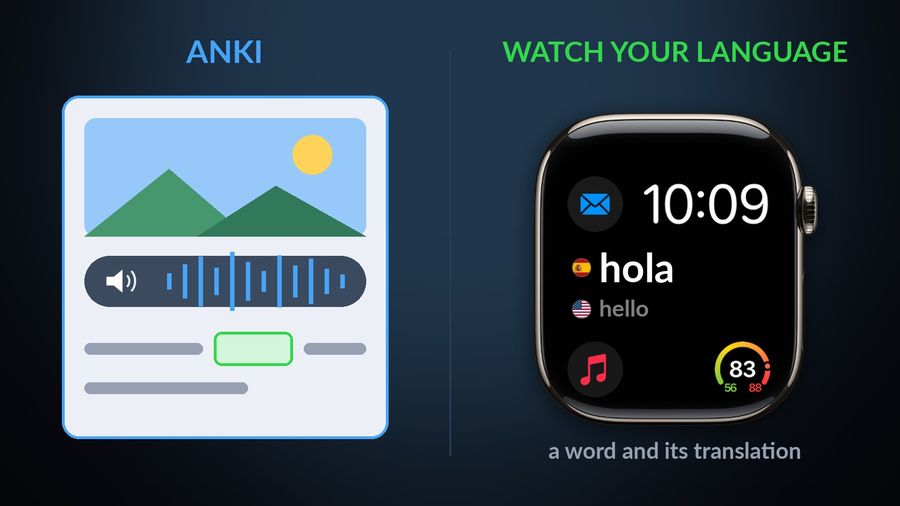
Anki is simply the deeper tool for anyone serious about building a personal deck, and it is worth saying without hedging. Its own site describes handling decks of 100,000+ cards with no problems, cards that can hold audio, images, videos and scientific markup, and a dedicated cloze deletion note type, described in Anki's manual as "the process of hiding one or more words in a sentence" for testing recall. None of that exists in Watch Your Language, which has no card editor, no image or audio fields on a word, and no way to build a custom card type — it only shows a word and its translation.
Anki also lets you extend the program itself: its site says add-ons install to extend Anki with new features and functionality, alongside a choice between two scheduling algorithms and reviews you can retime yourself. AnkiMobile's own listing is candid about where the iPhone app fits into that: it is "currently intended as a companion to the computer version of Anki, rather than a complete replacement for it," and add-ons are not supported on it, though image occlusion cards made with the computer version can still be studied there. Watch Your Language has no add-ons and no algorithm to choose — one setting, how often a word changes.
The other clear split is where each app lives. AnkiMobile's compatibility section lists iPhone, iPad and Apple Vision for the paid iOS app, and an article in AnkiMobile's support knowledge base explains why there is no Apple Watch app: Apple's guidelines say watch apps should be used for a few seconds at a time, the watch's battery is small, and the team is “not sure Anki is a great fit for the watch in its current implementation”. Watch Your Language has no desktop or Android version at all — it is built specifically for iPhone and Apple Watch, and does not teach grammar, speaking or listening; for those, pair it with a course.
Which one to pick
Pick Anki if…
- You already have, or want to build, a large personal deck spanning years, with full control over cards, note types and scheduling.
- You want images, audio or cloze deletion cards, and do not mind setting most of that up on the free desktop app before paying for AnkiMobile.
- You want to extend the program with add-ons, or study decks other Anki users have shared.
Pick Watch Your Language if…
- You know you will not open a flashcard app regularly, no matter how good the algorithm behind it is — see other reasons people leave Anki if the queue is not the only thing bothering you.
- You want vocabulary to show up on its own — on your iPhone Lock Screen, Home Screen and Apple Watch face — rather than sit in a queue you have to clear.
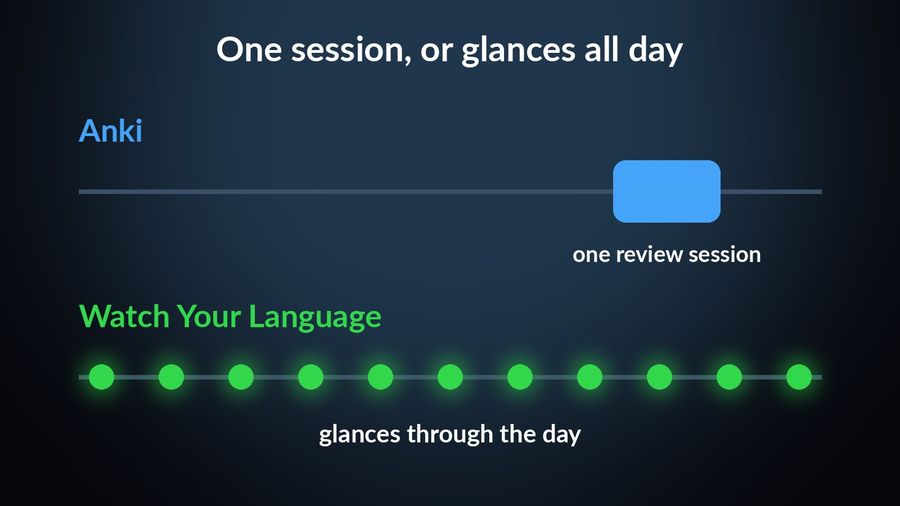
- You would rather glance at your wrist through the day than sit down for a review session; see what passive exposure can and cannot do before assuming it replaces active review entirely.
Using both together
The two are not mutually exclusive, and the honest combination plays to what each is actually good at. Build or import the deck in Anki, where cloze cards, images, audio and a tunable algorithm live, and do the review itself there, at a desk, when you can sit down for it. Anki's manual describes exporting your notes as plain text, with each field separated by a tab, so a simple word-and-translation deck comes out as two columns a spreadsheet program can open. With Premium, Watch Your Language can then import that same list from a CSV, Excel or Google Sheets file — or you can type words in directly, or scan handwritten notes with the camera — and they join your existing vocabulary on the same schedule.
What changes is where review happens outside the desk. Words from an Anki deck built this way show up a few at a time in iPhone Lock Screen and Home Screen widgets and as Apple Watch complications, chosen by which of them you keep getting wrong, so a deck built for a proper sit-down session also follows you onto the train platform or into a queue at the shop. It is not a substitute for that sit-down session — passive exposure builds recognition, not the deeper recall Anki's review is built for. For how Watch Your Language compares to a lesson-based app rather than a flashcard one, see Watch Your Language vs Duolingo.
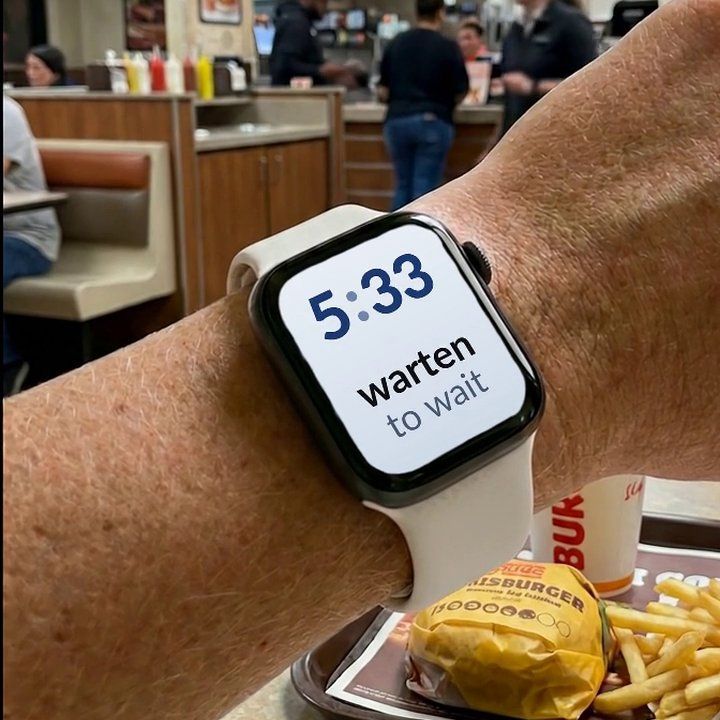

Watch Your Language does not compete with Anki on deck-building — it has no card editor, no images or audio on cards, no cloze deletion and no add-ons, and Anki is plainly the stronger tool for anyone who wants those. What it offers instead is what Anki leaves to you: a way for the vocabulary you already keep — typed in, or imported from a CSV, Excel or Google Sheets file with Premium — to show up on its own, a few words at a time, on your iPhone Lock Screen, Home Screen and Apple Watch face, with the ones you keep forgetting brought back more often. It is free to start with pre-made packs, and Premium unlocks the rest.