 Paul L.
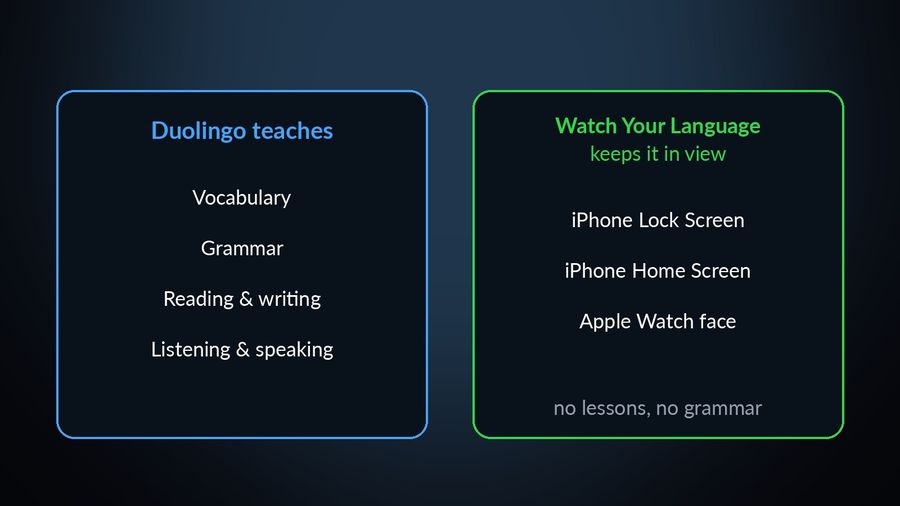
Watch Your Language and Duolingo answer different questions. Duolingo teaches: lessons, grammar worked into the exercises, and practice across reading, writing, listening and speaking, built around a free, ad-supported daily habit. Watch Your Language does not teach anything. It is a passive-vocabulary tool that keeps words — the ones a course already taught you, or your own — in view on your iPhone Lock Screen, Home Screen and Apple Watch face between whatever does the teaching. The two work well together: Duolingo for the lesson, Watch Your Language for what happens to the vocabulary once the lesson is over. The table below compares what each one offers, checked on Duolingo's own site and App Store page in September 2026.
| Duolingo | Watch Your Language | |
|---|---|---|
| What it teaches | A course covering vocabulary, grammar, reading, listening, writing and speaking, across 40+ languages, in short lessons. | Nothing on its own. No lessons, no grammar explanations, no speaking or listening practice. |
| How you use it | Open the app and complete a lesson — a short string of exercises such as translation, multiple choice, listening and speaking, as its App Store page describes it. | Nothing to open. Words appear on their own, a few at a time, wherever you would glance anyway. |
| Platforms | iPhone, iPad and Apple Vision, plus Android and the web; no Apple Watch app. | iPhone and Apple Watch, with widgets on iPad too. |
| Grammar | Taught through the exercises themselves, with a personalised note available after any answer via Explain My Answer, free since January 2026 in its Spanish, French, German, Japanese, Portuguese, Italian and Korean courses. | Not covered — pair it with a course for this. |
| Speaking | Speaking exercises inside ordinary lessons; its paid tiers add AI Roleplay and Video Call practice in the mobile app, for a limited set of courses. | Not covered — pair it with a tutor or a course for this. |
| Vocabulary scheduling | Review happens inside the app, in its lessons and practice sessions. | Spaced repetition built around the words you keep getting wrong, shown more often until you stop forgetting them; you choose how often a word changes, from every minute to once a week. |
| Price model | Free to use indefinitely, supported by ads, with an energy system that runs down as you practise; Super Duolingo removes both. | Free to start with pre-made word packs; a Premium subscription unlocks all packs and adding your own words. |
Where Duolingo does more
For anyone who wants to be taught, not just reminded, Duolingo is the fuller product, and the gap is not close.
- Actual lessons. Duolingo has a course to work through; Watch Your Language has no course of any kind.
- Grammar worked into practice. A rule gets explained as you use it, and, since January 2026, Explain My Answer can walk through any answer, right or wrong, for free in its Spanish, French, German, Japanese, Portuguese, Italian and Korean courses.
- Speaking exercises. Ordinary lessons include speaking practice, and Duolingo Max adds AI conversation practice on top, for the languages it covers.
- A full course path. One app takes you from a first lesson through vocabulary, grammar, reading, listening, writing and speaking together, rather than any one of those in isolation.
- Android. Duolingo runs on Android as well as iPhone and iPad; Watch Your Language is an iPhone and Apple Watch app.
Where Watch Your Language does more
What Watch Your Language adds is not a better lesson. It is the part lesson-based apps like Duolingo leave to you: keeping the vocabulary in view once the lesson is over.
- No session to open. There is no app to launch, no streak to keep, and no daily task to fall behind on. Words simply show up where you were already going to look.
- Your Lock Screen, Home Screen and watch face. Vocabulary appears in widgets on the iPhone Lock Screen and Home Screen (iPad too), and as Apple Watch complications — inline, rectangular, circular or corner, depending on the watch face — without needing the phone in hand.
- Your own words. Type words in, import them from a CSV, Excel or Google Sheets file, or scan handwritten notes with the camera — including a list a Duolingo lesson taught you, if you want it to follow you around.
- Spaced repetition of the words you actually forget. The app tracks which words you keep getting wrong and shows those more often, rather than cycling through everything at the same rate.
Use both: how
The two apps do not conflict, because they are not doing the same job. A practical routine looks like this: do a Duolingo lesson when you can sit down for it — on the commute, over coffee, before bed — and let it handle the grammar, the reading, the listening and the speaking. When a unit introduces vocabulary you want to keep, type the new words into Watch Your Language, or import them from wherever you keep notes (adding your own words is part of Premium), and let its packs cover the rest. From there, the words show up on their own: a complication on your watch face while you are making coffee, a widget on your Lock Screen while you wait for a bus. By the time Duolingo's own review comes back around to a word, you will likely have seen it several times without opening anything.
This only works as a genuine addition, not a substitute. Passive exposure builds recognition cheaply, but it will not teach you a case ending or get you speaking — for that, Duolingo's course, or one of the other Duolingo alternatives built around grammar and speaking, is doing the actual work. For a closer look at how a structured, paid course compares to Duolingo's free one, see Duolingo vs Babbel; for how the scheduling behind Watch Your Language's reviews works, see spaced repetition, explained.
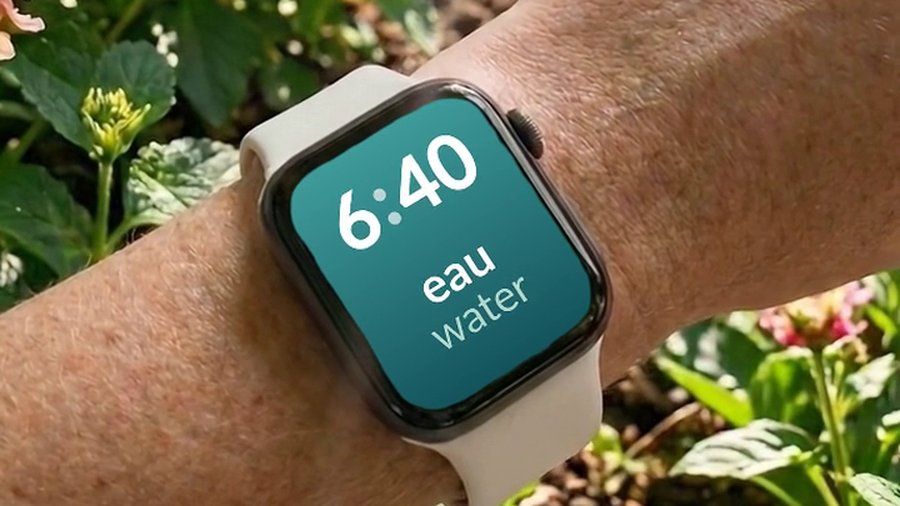

Watch Your Language does not replace Duolingo's course — it has no course of its own to replace. It puts vocabulary on your iPhone Lock Screen and Home Screen and in Apple Watch complications, and schedules which word to bring back next based on the ones you keep forgetting. Add the words a Duolingo lesson taught you, typed in or imported from a spreadsheet, or start from its own 10,000+ words in themed packs graded A1 to C2, free to begin with and a Premium subscription for the rest.

