 Eleanora R.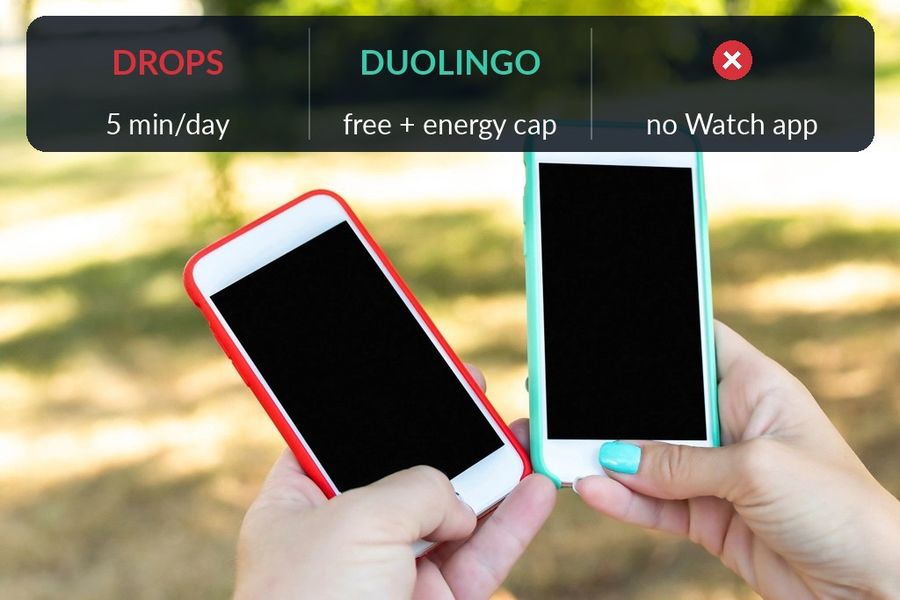
Drops and Duolingo both start free and both teach vocabulary, but the resemblance mostly stops there. Drops is a vocabulary-only app built around short, icon-based matching games, with free use capped at five minutes a day; Duolingo is a broader course covering vocabulary, grammar and speaking, free to use indefinitely but supported by ads and an energy system that limits how much you can practise before it refills. Neither app has an Apple Watch app. The comparison below is based on what each company states on its own site and App Store listing, checked in September 2026.
| Drops | Duolingo | |
|---|---|---|
| Price model | Free use is capped at five minutes a day: Drops' own welcome page says "just 5 minutes a day is enough" and adds "Get a Premium subscription to practice even more"; its home page lists "unlimited learning time" among Premium's features. Its in-app purchases start from $7.99 on the US App Store. | Free to use indefinitely, supported by ads and an energy system in the app that runs down as you practise (hearts on the web); Super Duolingo, its App Store listing says, comes with "no ads" and "Unlimited Energy", and Duolingo Max, mobile-app only, adds AI features on top. |
| Platforms | iPhone and iPad, and, per its own site, Android; its App Store Compatibility section lists iPhone and iPad only — no Apple Watch. | iPhone, iPad and Apple Vision Pro, plus Android and the web; no Apple Watch app. |
| Method | Short, timed games that match a word to a custom illustration, built on what Drops' own site calls "spaced-repetition, contextual learning, and visual association" — vocabulary only, with no grammar explanations or speaking exercises described on its site. | Short, game-like exercises — speaking, reading, listening and writing, from translation to multiple choice — with streaks and leaderboards, plus grammar notes through Explain My Answer. |
| Who it suits | Someone who wants quick, icon-based vocabulary drills and does not mind a five-minute daily cap unless they subscribe, in one of the 55+ languages Drops says it offers. | Someone who wants a free, low-commitment daily habit covering more than vocabulary, and does not mind ads or an energy limit on free practice. |
Key takeaways
- Drops is vocabulary-only icon games capped at five free minutes a day; Duolingo covers vocabulary, grammar and speaking, free with ads and an energy limit.
- Neither has an Apple Watch app. Drops Premium starts at $7.99 on the US App Store, while Super Duolingo removes ads and the energy limit.
- Pick Drops for short visual vocabulary only, Duolingo for grammar and speaking too; Watch Your Language keeps either's words in view afterward.
How the lessons differ
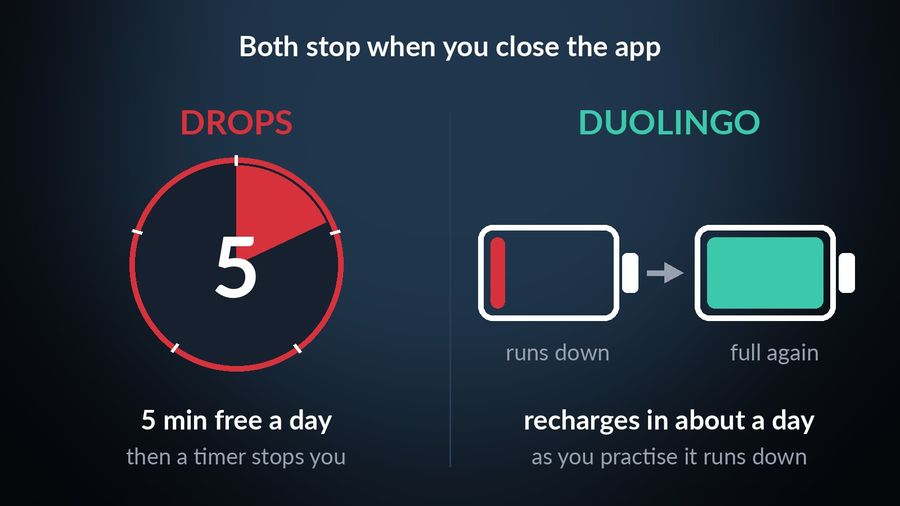
A free Drops session lasts five minutes, spent on quick games that ask you to match a word to one of the custom illustrations it has for each vocabulary word, working through a short set before the timer runs out. Its own home page describes the method as "spaced-repetition, contextual learning, and visual association". The free version stops there: Drops' own welcome page says "just 5 minutes a day is enough" and points to a Premium subscription "to practice even more"; the home page lists "unlimited learning time" with Premium, and in-app purchases start from $7.99 on the US App Store.
Duolingo's lesson is a longer, looser loop: a few minutes of translating a sentence, choosing a multiple-choice answer, listening, or speaking into the microphone, as its own App Store listing describes it, with streaks and a leaderboard built in. It has no daily time limit of its own; instead, as Duolingo's blog explains, each lesson uses some energy, you earn some back by getting several answers in a row right, and it fully recharges in about a day. Paying for Super Duolingo, which its App Store listing says brings "no ads" and "Unlimited Energy", removes that limit rather than changing the lesson format.
What each one actually teaches
The bigger difference is scope. Drops describes itself around vocabulary: its site and App Store listing talk about words, illustrations and languages, with no mention of grammar explanations or speaking practice. Duolingo covers more ground in the same free tier — its App Store listing lists speaking, reading, listening and writing exercises together, and its Explain My Answer feature, free since January 2026 in its Spanish, French, German, Japanese, Portuguese, Italian and Korean courses, gives a short explanation of the grammar point behind an answer, right or wrong. If vocabulary is genuinely the only thing you want out of five minutes, Drops is built for exactly that; if you also want grammar and speaking practice in the same app, Duolingo covers more of it.
Which one to pick
Pick Drops if…
- You want short, visual vocabulary games and nothing else competing for your attention in the same session.
- A hard five-minute stop each day suits you better than an open-ended app you have to close yourself.
- You are open to subscribing once five minutes stops being enough, in one of the 55+ languages Drops says it offers.
Pick Duolingo if…
- You want grammar and speaking practice alongside vocabulary, not vocabulary on its own.
- You want to start today for free, and do not mind ads or an energy limit on how much you can practise without paying.
- A game-like habit — streaks, a leaderboard, no daily time cap — is what actually gets you to open the app.
Where passive vocabulary fits alongside either
Both apps end the moment you close them. A free Drops session ends when its five-minute timer runs out, and Duolingo's lesson sits waiting until you come back to it — in neither case does the vocabulary follow you afterwards. Watch Your Language does not attempt either app's job: it is a passive-vocabulary tool, with no lessons, no grammar explanations and no speaking or listening practice of its own. For what real instruction involves, see the best ways to learn a language.
What it does instead, with Premium, is take the words a Drops session or a Duolingo lesson already introduced — typed in by hand, imported from a CSV or spreadsheet, or captured with the camera from your own handwritten notes — and show them a few at a time on your iPhone Lock Screen and Home Screen, on iPad, and as Apple Watch complications on the watch face, scheduled by how often you keep forgetting each one. For how that scheduling works, see spaced repetition, explained.


Watch Your Language does not compete with Drops' games or Duolingo's course — it has no lessons of its own to compete with. It keeps the vocabulary either one taught in view once the session ends: a handful of words at a time on your iPhone Lock Screen and Home Screen, on iPad, and as Apple Watch complications on the watch face, with the words you keep forgetting brought back more often. With Premium, typed-in words, a CSV or spreadsheet import, or a camera scan of your own handwritten notes all feed the same schedule, so a five-minute session or a finished lesson can end up on your wrist too.

