 Paul L.
Anki's spaced repetition is not usually the reason people quit it — the scheduling genuinely works, reviewing a card just before you are about to forget it. What wears people down is everything built around that idea: designing your own note types, building a deck from scratch, and opening the app to a queue of cards due today. The right alternative depends on which of those is actually bothering you, so this guide is organised by reason rather than by app, based on what each product describes about itself, on its own site or App Store page, in September 2026.
Key takeaways
- Anki's scheduling is rarely why people quit; the blank deck, note-type setup and daily queue are, so match the alternative to your specific complaint.
- If the queue feels like homework, Watch Your Language shows words on your Lock Screen and Apple Watch face with no session, but it teaches no grammar or speaking.
- Keep an existing deck by exporting Anki notes as plain text, saving word and translation as .csv or .xlsx, then importing it (a Premium feature).
The review queue feels like a second job
Anki's SM2 and FSRS scheduling algorithms are described on AnkiMobile's own App Store page as reminding you of material "as you're about to forget it" — which is exactly why skipping a day is expensive. Everything scheduled for that day is still waiting, plus whatever comes due tomorrow, so a missed week turns into a backlog instead of a clean start.
If what actually drove you off Anki is that pile-up, and not spaced repetition itself, the fix is not a smaller queue somewhere else. It is not having one. Watch Your Language puts vocabulary on your iPhone Lock Screen, Home Screen and Apple Watch face, and decides which word to show next from the ones you keep forgetting — the spacing Anki gets right, without a session to open. You choose how often a word changes, from every minute to once a week, and there is nothing to fall behind on; see what passive exposure can and cannot do before assuming it replaces active review entirely, because it does not teach grammar or get you speaking.
If you already have an Anki deck you do not want to lose, Anki's manual describes exporting your notes as plain text, with each field separated by a tab. Open that file in a spreadsheet program, keep the word in the first column and its translation in the second, add a header row on top, and save it as .xlsx or .csv (the older .xls format is not supported). Watch Your Language can then import the file directly, or you can paste the same list into a Google Sheet and bring it in from the link instead — both are Premium features.
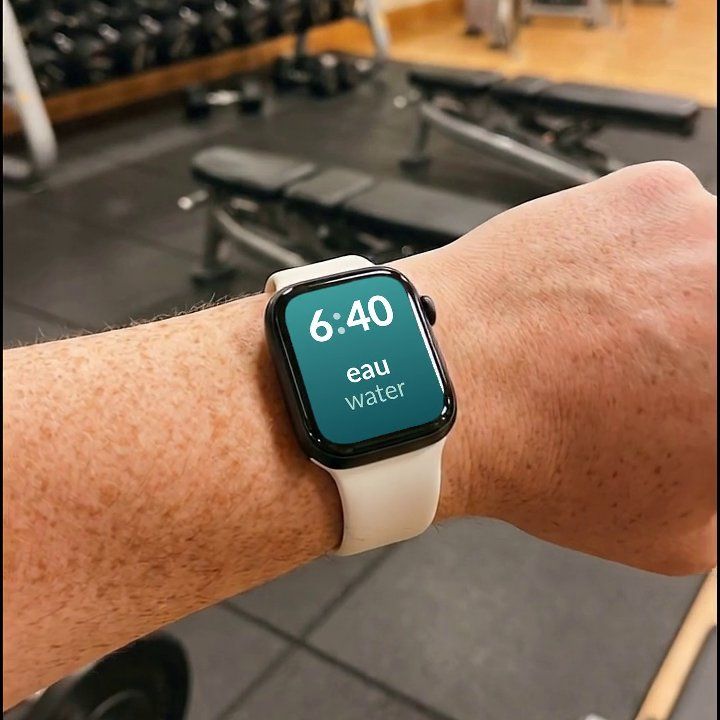

Watch Your Language is a passive-vocabulary tool, not a flashcard app: it runs no review sessions and teaches no grammar or speaking. What it does is keep bringing back the words you have not learned yet, a few at a time, on the screens you check anyway — your iPhone Lock Screen, Home Screen and Apple Watch face — so the vocabulary that mattered enough to go into a deck does not depend on you opening one.
You do not want to spend your evenings building the deck
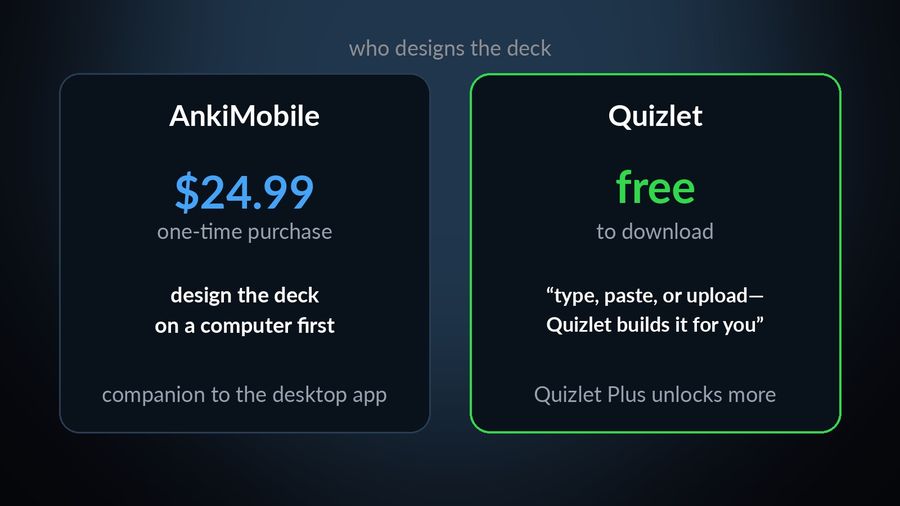
Anki's note types and card templates give you full control over how a word gets tested, but that control has a setup cost: someone has to design the cards before anyone can review them, and on iPhone that comes with its own price tag. AnkiMobile's App Store listing describes itself as "currently intended as a companion to the computer version of Anki, rather than a complete replacement for it," priced as a one-time $24.99 purchase on the US App Store, on top of setting most of a deck up on a desktop first.
Quizlet's listing takes the opposite approach: "Type, paste, or upload your notes and Quizlet builds a complete study set for you," and it can turn a recorded or uploaded lecture into flashcards. It is free to download, with Quizlet Plus among its in-app purchases. For a closer look at both apps side by side, see our Anki vs Quizlet comparison.
You want the words folded into a real course, not loose cards
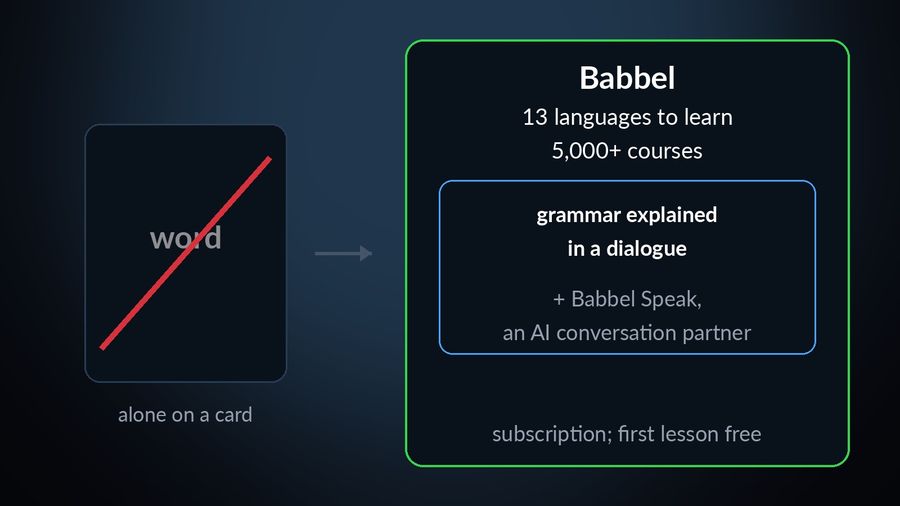
A flashcard, however well made, tests a word in isolation. If what you actually want is grammar, dialogue and structure around the vocabulary, Anki is the wrong shape of tool regardless of the deck. Babbel's App Store listing counts 14 languages, including English itself, so that is 13 to actually learn if English is already yours; it says it has "5,000+ courses" of short lessons, grammar explained in context, and Babbel Speak, an AI conversation partner for practising out loud. You can take a free lesson; full courses for one language need a subscription, offered in 1-, 3-, 6- and 12-month plans.
You want a reason to open the app in the first place
Anki gives you no push to show up — the queue waits for you indifferently, which is honest but not motivating. Duolingo's App Store listing is built almost entirely around the opposite: short, game-like exercises with streaks and leaderboards, free to use with an "energy" system (hearts on the web) that limits how much you can practise before it recharges. Its Explain My Answer feature, an explanation you can tap for after an answer, became free for all learners on 1 January 2026 in its courses teaching Spanish, French, German, Japanese, Portuguese, Italian and Korean, which answers a fair complaint about a purely gamified app: fine for motivation, thin on explanation.
You want to hear the word, not just read it
A flashcard only tests what you can recognise in writing, which does not always match what you can understand out loud. Memrise's App Store listing is built around "real native-speaker videos — so you learn to speak like real people"; the free plan has limited vocabulary lessons and videos, with ads, and Memrise Pro unlocks all of them. It is the closer match when the sound of the language, not just its spelling, is what a silent flashcard was never going to teach you.
Your vocabulary should come from what you are already reading or watching
The other complaint about a hand-built deck is where the words come from: typed in one at a time, disconnected from anything you would actually read. LingQ's App Store listing turns "Netflix, YouTube, podcasts, books, and articles into personalized lessons" — you tap an unfamiliar word for a definition, and it is tracked as you keep meeting it, so the deck effectively builds itself out of content you chose for reasons that had nothing to do with studying. LingQ Premium adds unlimited content imports and unlimited vocabulary lookups.
Which one to pick
| Why you are leaving Anki | Best alternative |
|---|---|
| The daily queue feels like homework | Watch Your Language — no session, no queue, just words on your Lock Screen and Apple Watch face |
| You do not want to build the deck yourself | Quizlet |
| You want a full course, not loose cards | Babbel |
| You want motivation to open the app | Duolingo |
| You want to hear the language, not just read it | Memrise |
| You want vocabulary from real content, not typed-in cards | LingQ |
None of this changes what made Anki's method sound in the first place — see spaced repetition, explained for why reviewing a word just before you forget it works. What differs between these alternatives is what happens around that idea: a course, a game, a video, real content, or no session at all. For a fuller side-by-side of these and other vocabulary apps, see our vocabulary app roundup.

