 Eleanora R.
Memrise is really three products bundled together — a course platform, a library of native-speaker video clips, and a set of exam-prep tests — so people rarely leave over the same thing. This guide sorts alternatives by the actual reason: a course that moved off the app, wanting to build a deck by hand, wanting a full curriculum instead of a course, wanting vocabulary to come from things you would read or watch anyway, and wanting no session at all. What each product below does is based on what it states on its own site or App Store listing, checked in September 2026.
Key takeaways
- Pick by why you are leaving: community course gone, own deck (Anki), grammar course (Babbel, Busuu), real content (LingQ), or no session at all.
- If a community course vanished, it was not deleted: Memrise moved community courses to community-courses.memrise.com, where your login carries over.
- Watch Your Language has no courses or videos, but keeps already-taught words in view on your Lock Screen and watch face; add your own by typing, import or camera scan.
Your community course disappeared from the app
If a course you had built a routine around is simply gone, that is a change Memrise made, not a fault on your phone. Memrise's own account of a 2024 update to the app says that, from 31 March 2024, courses made by community members were retired from memrise.com and the mobile apps; the main app now runs on what Memrise calls Memrise-approved courses instead, some of them reworked from popular community courses with better translations and videos added. The community courses themselves were not deleted — they moved to a separate site, community-courses.memrise.com, where the same account login carries your progress over.
So the direct fix is to keep using that course at its new address rather than inside the app. If what you actually miss is an app built around lessons other learners wrote and shared, rather than a separate website you have to remember to open, Anki's shared decks — covered next — is the closest thing still living inside an app you review from.
You want to build your own deck, not follow someone else's course
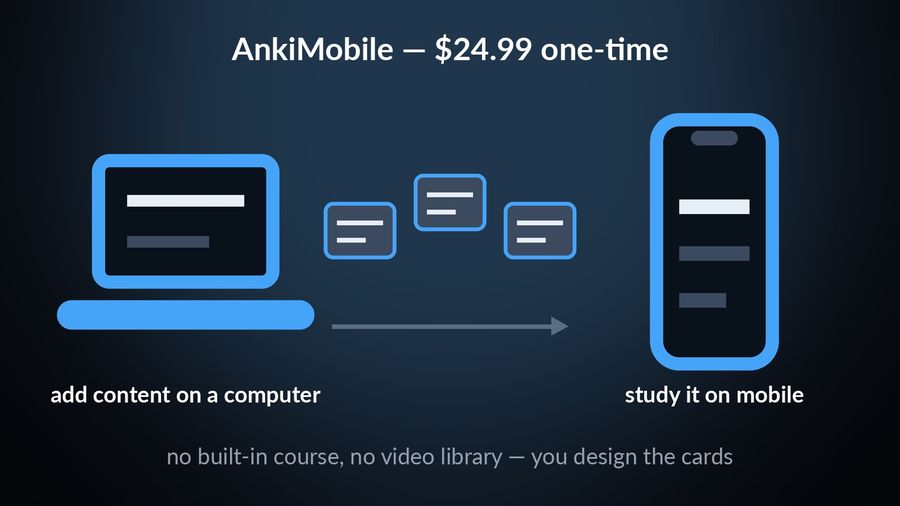
Anki does not resemble Memrise much: there is no built-in course and no library of native-speaker clips, and you design the cards yourself or import a deck someone else shared. AnkiMobile's own App Store listing describes itself as "currently intended as a companion to the computer version of Anki, rather than a complete replacement for it," priced as a one-time $24.99 on the US App Store, and the same listing describes adding content on a computer and then studying it on your mobile. That upfront design work is the trade for full control over what a card actually tests — the opposite of Memrise's fixed courses, where the content is made for you.
You want a structured course with grammar explained
Memrise's own site centres on native-speaker video and practice features, so if what is missing is something walking you through why a sentence is built the way it is, a course app is the closer fit. Babbel's own method page says "a typical lesson takes about 6 minutes to finish," works grammar into a dialogue, and lets you try the first lesson of every course free, with full access sold as a subscription; its own site counts 13 languages for English speakers. It works on the web, iPhone/iPad and Android; its App Store listing names no Apple Watch app.
Busuu adds a different kind of help: its own site offers "feedback from fluent speakers in the Busuu Community" on writing you submit, alongside bite-sized lessons and a Smart Review feature that stores vocabulary and grammar from your lessons so they stick, according to its App Store listing, which lists subscriptions from $6.99 a month on the US store and no Apple Watch app either.
You want vocabulary from things you would actually read or watch
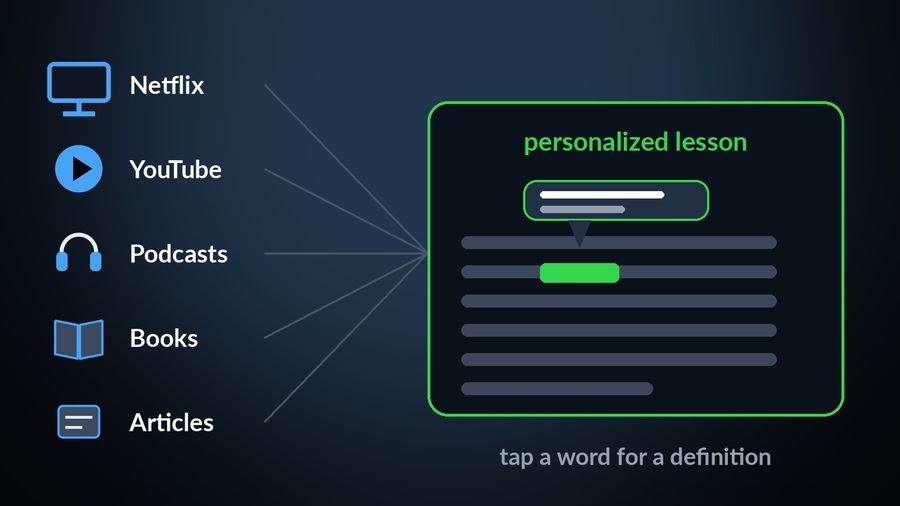
A Memrise video clip, however well produced, is still made for the lesson. If you would rather the vocabulary come from something you chose for its own sake, LingQ's App Store listing describes turning "Netflix, YouTube, podcasts, books, and articles into personalized lessons": you tap an unfamiliar word for a definition inside whatever you are reading or watching, and it gets tracked as you keep meeting it, so the review list builds itself out of content that had nothing to do with studying when you picked it. LingQ Premium adds unlimited content imports and unlimited vocabulary lookups, per the same listing.
You just want the words in front of you, no session at all
All four alternatives above are still something you open: a deck, a course, a video, a library. If the actual complaint is that Memrise, like the rest, asks you to sit down with it, that is a different kind of app altogether. Watch Your Language is a passive-vocabulary tool for iPhone and Apple Watch — no lessons, no grammar explanations, no video, no exam prep. Words from its 25+ languages appear a few at a time on your iPhone Lock Screen and Home Screen, on iPad, and as Apple Watch complications on the watch face, with the ones you keep forgetting brought back more often; you choose how often a word changes, from every minute to once a week.
You can also add your own words — typed in, imported from a CSV, Excel or Google Sheets file, or captured with the camera from your own handwritten notes — so a word a Memrise course already taught you does not have to start over as a flashcard somewhere else. It is free to start with pre-made packs; a Premium subscription unlocks the rest, including unlimited and custom words.
Which one to pick
| Why you are leaving Memrise | Best alternative |
|---|---|
| Your community course moved off the app | community-courses.memrise.com — the same course, at its new address |
| You want to build your own deck by hand | Anki |
| You want a structured course with grammar explained | Babbel or Busuu |
| You want vocabulary from real content, not made-for-learning material | LingQ |
| You want no session at all | Watch Your Language — words on your Lock Screen and Apple Watch face |
None of this changes what drew you to Memrise in the first place. Our Duolingo vs Memrise comparison looks at how its video-based courses stack up against a more gamified rival, if a course is still what you are after. And if the pull toward Anki above is really about the scheduling rather than the deck-building, our Anki alternatives guide covers the same trade-off from the other direction, sorted by the same kind of reason.


Watch Your Language is not a replacement for any of the jobs above — it has no courses, no videos and no exam prep of its own. What it does is keep the vocabulary a Memrise course, or any of the apps above, already taught you in view afterward: a few words at a time on your iPhone Lock Screen and Home Screen, and as an Apple Watch complication on your watch face, brought back more often when you have not seen them in a while. Add your own words too, typed in, imported, or scanned from handwritten notes, and whatever a course covered stays on your wrist after the lesson ends.