 Eleanora R.
Anki and Memrise both help with vocabulary, but they ask for different things from you. Anki is a flashcard program: free on desktop and Android, with a one-time paid app for iPhone, and it expects you to build, import or download the deck yourself. Memrise is a course: free to start, with a subscription for the rest, built around video clips of native speakers rather than cards you assemble. Everything below comes from what each company states on its own site or App Store page, checked in September 2026.
| Anki | Memrise | |
|---|---|---|
| Price | Desktop for Windows, macOS and Linux, and AnkiDroid on Android, are free; AnkiMobile for iPhone and iPad is a one-time $24.99 purchase on the US App Store, not a subscription. | Free to start; its US App Store listing shows Monthly, 3-Month, Annual and Lifetime plans running from $24.99 up to $329.99 for lifetime access, with several promotional offers alongside them — prices vary by plan and by country, so check the listing where you are. |
| Platforms | Windows, macOS, Linux and Android, plus iPhone, iPad, iPod touch and Apple Vision, synced free through AnkiWeb. No Apple Watch app. | iPhone, iPad, iPod touch and Apple Vision, plus Android. No Apple Watch app. |
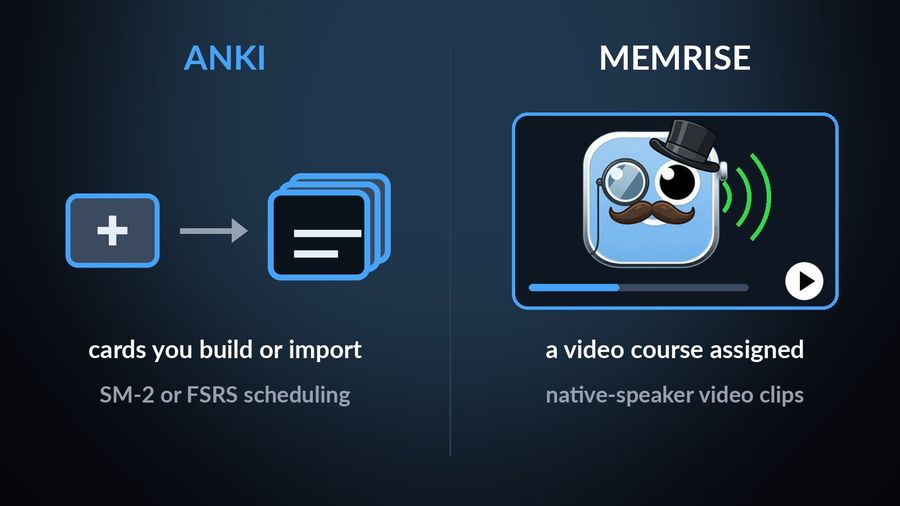
| Method | Flashcards you build, edit or import, reviewed with the SM-2 or FSRS scheduling algorithms; you can change the timing of reviews yourself. | Courses built around video clips of native speakers, covering pronunciation, verb conjugation, sentence building, listening and AI speaking practice, on what Memrise calls Memrise-approved courses. |
| Who it suits | Someone who already has, or wants to build, a large personal deck, and wants a scheduling algorithm they can see and tune. | Someone who would rather follow a set course of video lessons than assemble cards, and does not mind subscribing once the free start ends. |
Key takeaways
- Anki gives you an empty deck with visible SM-2 or FSRS scheduling; Memrise teaches a video course, so the real split is who builds the material.
- Anki is free except a one-time $24.99 iPhone app; Memrise is free to start, then a subscription. Neither has an Apple Watch app.
- Watch Your Language does not replace either; it keeps their words in view on your Lock Screen and watch face between sessions.
How the two differ
The clearest split is who builds the material. Anki hands you an empty deck: its own site describes handling decks of 100,000+ cards with no problems, cards that can hold audio, images, videos and scientific markup, and a dedicated cloze deletion note type for hiding a word inside a sentence, as Anki's own manual describes it. None of that exists in Memrise, which teaches you a course rather than a deck. Its own account of a 2024 change says that, since 31 March of that year, community members' courses moved off memrise.com and out of the apps to a separate site, and the main app now runs on what Memrise calls Memrise-approved courses, some of them reworked from popular community courses with better translations and video added.
Scheduling is exposed differently, too. AnkiMobile's own listing names the SM2 and FSRS scheduling algorithms outright, and Anki's site says you can easily change the timing of reviews — the kind of spacing this site explains in spaced repetition, explained. Memrise is less specific about its own scheduling: a developer reply on its App Store listing mentions an algorithm that predicts when a word is "likely to fall out of your long-term memory", without naming a review method the way Anki does, and its own site does not mention spaced repetition either. What it adds instead is speaking and listening practice built around real people: real native-speaker videos, AI Buddies for conversation and role-play practice, and Exam Prep for tests such as IELTS and GCSE — none of which Anki's own site describes.
Where each one runs, and what it costs
Anki's core apps are free: the desktop program for Windows, macOS and Linux, and AnkiDroid on Android. The one paid piece is AnkiMobile for iPhone and iPad, a $24.99 one-time purchase on the US App Store rather than a subscription, described there as usable "on multiple devices in a household using the same Apple ID". A free sync service, AnkiWeb, keeps a deck in step across whichever of these you use, and AnkiMobile's compatibility section lists iPhone, iPad, iPod touch and Apple Vision; none of Anki's own pages list an Apple Watch app, and its knowledge base says the team is not sure Anki is a great fit for the watch, since Apple's guidelines say watch apps should be used for a few seconds at a time.
Memrise is free to start, and its US App Store listing lists Monthly, 3-Month, Annual and Lifetime purchase options running from $24.99 up to $329.99 for lifetime access, alongside several promotional prices — as with most App Store subscriptions, the exact figures vary by country, so the honest answer is to check the listing where you are rather than assume the US price. That same listing names Spanish, Korean, Japanese or 136 other languages — 139 in total — and its compatibility section lists iPhone, iPad, iPod touch and Apple Vision, with no Apple Watch app; Android is covered separately on Memrise's own site.
Which one to pick
Pick Anki if…
- You already have, or want to build, a large personal deck, and want a scheduling algorithm you can see and adjust.
- You mainly study on a desktop or Android device and are willing to pay once, rather than monthly, for the iPhone app.
- You want cards with audio, images or cloze deletion, and would rather assemble them yourself than follow a fixed course.
Pick Memrise if…
- You would rather learn from video of people actually speaking than build or import cards.
- You are studying toward a specific exam, such as IELTS or GCSE, and want practice tests with AI feedback.
- You are ready to subscribe for the parts beyond the free start, once you have checked the price in your own country.
Where passive vocabulary fits alongside either
Both apps still ask you to open a session — a review queue in Anki, a video lesson in Memrise — which is the part passive learning is built to relieve rather than replace. Watch Your Language does not compete with either one's session: it is a passive-vocabulary tool with no deck to build and no course to follow. It does not teach grammar, correct pronunciation or run speaking practice; it decides which word to show next from the ones you keep forgetting, and how often, from every minute to once a week.
With Premium, words you have typed in, imported from a CSV, Excel or Google Sheets file, or captured from handwritten notes with the camera, appear a few at a time as widgets on your iPhone Lock Screen and Home Screen, on iPad, and as Apple Watch complications on the watch face. Nothing about that setup replaces an Anki review or a Memrise video lesson — it just keeps the same words in view once either one ends. For more on how the two more direct rivals stack up against each other, see Anki vs Quizlet and Duolingo vs Memrise; if Memrise's course structure or subscription is not working for you, other alternatives are worth a look too.
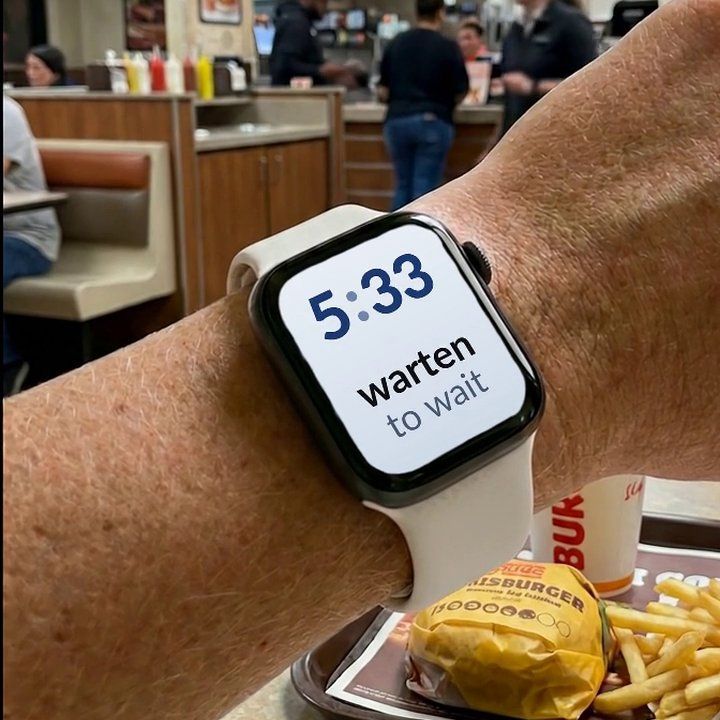

Watch Your Language is not a substitute for Anki's deck control or for Memrise's video courses and speaking practice — it has no card editor and no course of its own to compete with either. Add the words your Anki deck keeps testing, or that a Memrise course already taught, as your own vocabulary, typed in or imported with Premium, and they show up a few at a time on your iPhone Lock Screen, Home Screen and Apple Watch face, with the ones you keep missing brought back more often, so either app's vocabulary stays alive between the sessions you actually sit down for.