 Paul L.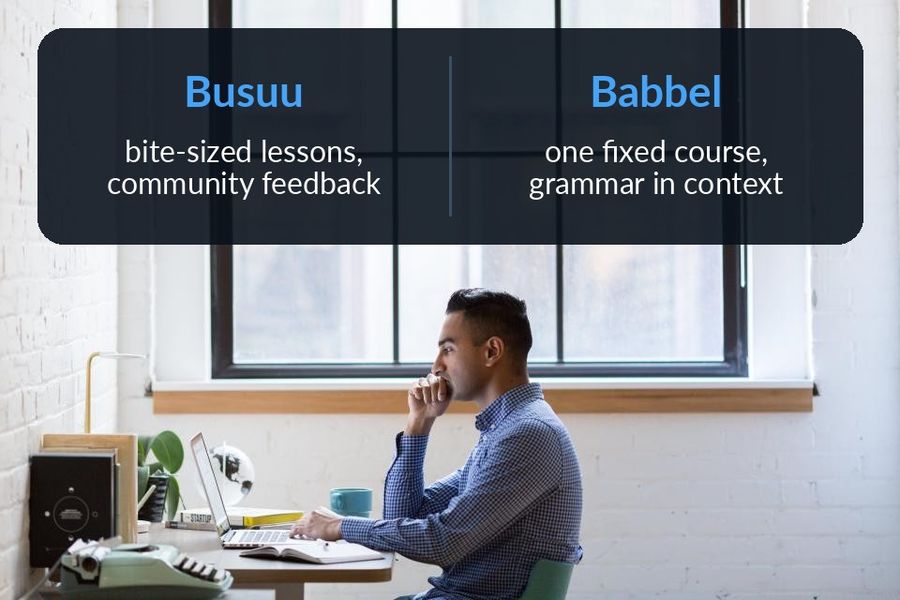
Busuu and Babbel are close enough in shape — both structured, both paid past a first taste — that the choice usually comes down to two things: whether you want a person reacting to what you write, and whether you want a fixed course or shorter, separate lessons. In short, Busuu suits someone who wants bite-sized practice plus feedback from other learners; Babbel suits someone who wants a single structured curriculum with grammar explained in context. The comparison below is based on what each company states on its own site and App Store listing, checked in September 2026; every claim links to the page it came from.
| Busuu | Babbel | |
|---|---|---|
| Price model | Free to download, and "a lot of the features are free"; subscriptions from $6.99 a month on the US App Store | Registration and the first lesson of every course free to try, then a subscription, priced by location, duration and platform |
| Platforms | Web, iPhone/iPad and Android; its App Store listing requires iOS 18/iPadOS 18 and lists iPhone, iPad and Apple Vision only — no Apple Watch app | Web, iPhone/iPad (iOS 17+) and Android (9.0+); its App Store listing lists iPhone, iPad and Apple Vision only — no Apple Watch app |
| Method | Bite-sized lessons with a Smart Review that stores the grammar and vocabulary from your lessons, plus feedback from fluent speakers in the Busuu Community | A structured curriculum aligned to the CEFR, where "a typical lesson takes about 6 minutes to finish" and grammar is explained in context inside the lesson |
| Who it suits | Someone who wants short, separate lessons plus a person, not just software, reacting to their writing or speaking | Someone ready to follow one fixed course toward a stated goal, in one of Babbel's 13 languages for English speakers |
Key takeaways
- Verdict: Busuu suits short, separate lessons plus feedback from fluent speakers in its community; Babbel suits one structured curriculum with grammar explained in context.
- Neither has an Apple Watch app. Busuu is free to download with subscriptions from $6.99 a month; Babbel makes the first lesson of each course free.
- Both review only inside a session you open, so Watch Your Language fills the gap by keeping their vocabulary on your Lock Screen and watch face.
How the lessons differ
Babbel's lesson is part of a single path: its method page says each lesson has a clear goal aligned to the CEFR, with "gradual progression" from one lesson to the next and grammar explained in context, and its App Store listing offers lessons for travel, work, or fun. Busuu's App Store listing describes something looser: "step-by-step bite-sized lessons, plenty of practice and lots of opportunities to test your progress", closer to a set of short, separate units than one continuous course.
That difference shows up most clearly in how each app treats your own writing and speaking. Babbel's App Store listing describes speaking practice with speech recognition, Guided Conversations and an AI partner called Babbel Speak (in beta); on the web, its system requirements page recommends Chrome for speech recognition, which in Edge, Firefox or Safari is only available for German, Italian, Spanish and French. Busuu instead routes your writing and speaking to other people: its own site says you get "feedback from fluent speakers in the Busuu Community", a community of learners and speakers rather than a paid tutor or a scored algorithm.
Review, handled two different ways
Both apps build review into the product rather than leaving it to you, but the mechanism is not the same. Busuu's Smart Review "cleverly saves all the grammar and vocab you learn in lessons and stores them in one handy place, so you can make those tricky words and rules stick", according to its App Store listing. Babbel's method page describes "customizable reviews" that bring back words you find difficult more often, with review "built into the learning path" rather than as a separate feature you open. As each company describes it, Busuu gathers review in one dedicated place, while Babbel weaves it through the ordinary lesson flow.
Which one to pick
Pick Busuu if…
- You want a lesson short enough for a coffee break, in one of its 14 languages.
- You would rather have another learner or fluent speaker react to a sentence you wrote than rely on speech recognition alone.
- You want more than a taster before paying: its App Store listing says "a lot of the features are free", with a subscription needed for the rest.
Pick Babbel if…
- You would rather follow one fixed course toward a goal than move between separate short lessons.
- You want a grammar point explained in context inside the lesson, rather than corrected afterward by another person.
- Speech recognition and an AI conversation partner matter more to you than feedback from a human community; on the web, speech recognition outside German, Italian, Spanish and French needs Chrome.
Where passive vocabulary fits alongside either
Babbel's method page says its reviews use spaced repetition and bring back difficult words more often, and Busuu's Smart Review keeps what you learned in one place to revise. The catch is that both only run inside a session you have opened. Once the lesson ends and the app is closed, neither keeps reviewing anything until you come back. Watch Your Language is built for exactly that gap. It is a passive-vocabulary tool for iPhone and Apple Watch — no lessons, no grammar explanations, no speech recognition — that shows a few words at a time in iPhone Lock Screen, Home Screen and iPad widgets and in Apple Watch complications, at a pace you set from once a minute to once a week.
With Premium, you can also add your own words to it — typed in, imported from a CSV, Excel or Google Sheets file, or captured with the camera from handwritten notes — which is how a phrase from a Busuu community correction or a Babbel lesson can end up on your wrist as well. It is free to start with pre-made packs; a Premium subscription unlocks all packs and your own words. For how much vocabulary a working level actually takes, see how long it takes to learn a language; for the reasoning behind glancing over sitting down, see the best ways to learn a language.
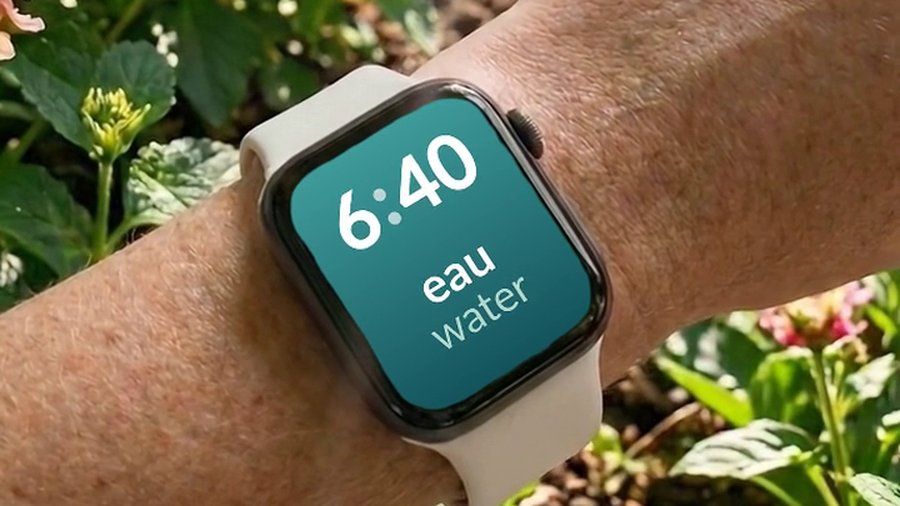

Watch Your Language does not compete with Busuu's lessons or Babbel's course — it has no lessons of its own to compete with. What it does is keep vocabulary in view once the session ends: words appear a few at a time on your iPhone Lock Screen and Home Screen, on iPad, and as Apple Watch complications on the watch face, brought back more often when you have been forgetting them. With Premium, typed-in words, a spreadsheet import, or a photograph of your own handwritten notes all feed the same schedule, so a word a Busuu community member corrected or a phrase from a Babbel lesson can end up on your wrist too.