Learn from the screen you already check
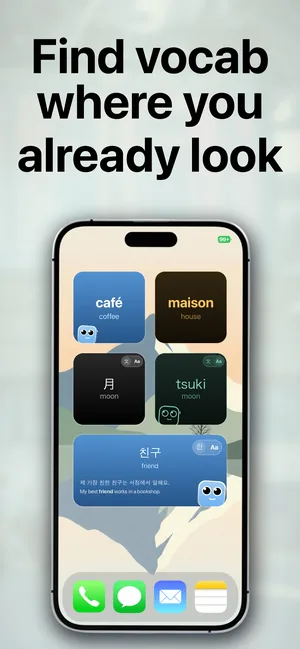
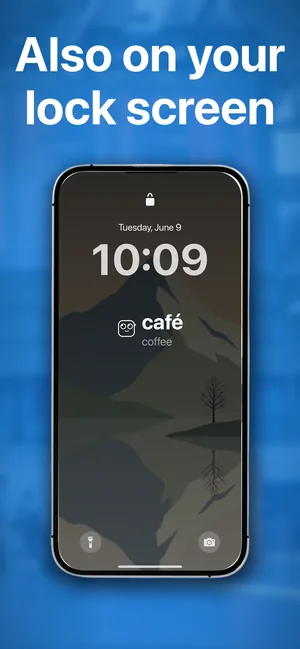
Most language apps wait for you to open them. A widget does not: it sits on the Lock Screen you see every time you pick up your phone, and on the Home Screen you pass through all day. Each glance is a second or two with a word — too short to feel like studying, frequent enough to make words stick.
Every size, both screens
- Lock Screen: inline above the clock, rectangular or circular below it.
- Home Screen: small, medium or large, next to your other apps.
- Two styles: Words & Translations to read both, or Words Only with the translation revealed when you tap.
The right word at the right time
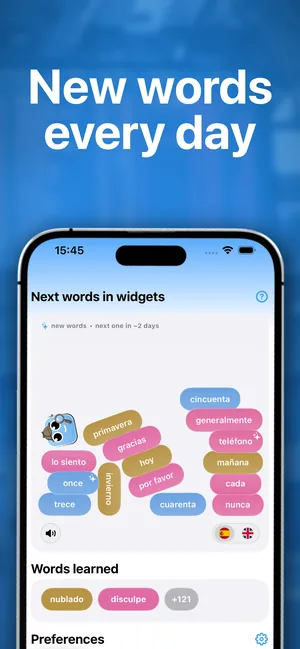
Behind the widget, spaced repetition picks which words to show: the ones you keep forgetting come back more often, the ones you know fade out. Each word also comes with an example sentence in the app, so you see it in context, not just as a pair.
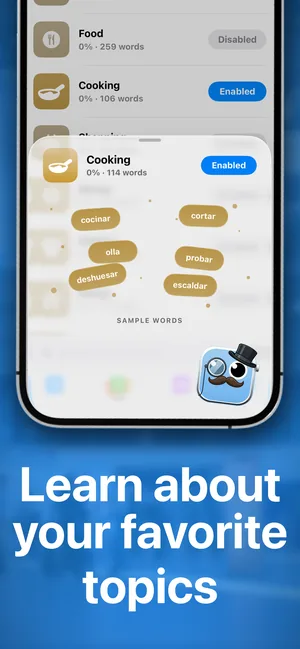

Have an Apple Watch? The same words appear on your watch face, so the phone and the watch work on one list. And if you already have a word list from a class, you can import it instead of starting from our packs.
Questions
Which widget sizes are there?
Small, medium and large on the Home Screen, and inline, rectangular and circular on the Lock Screen.
Can the widget hide the translation?
Yes. Add the Words Only widget and tap it to reveal the translation, so every glance is a small test.
How often do the words change?
The widget moves through your current words on its own, and you choose how fast new words join them, from every few minutes to once a week.
Does it work for Japanese, Chinese or Korean?
Yes. For languages written in another script, the widget can also show the romanization, and you can switch it off once you read the script.

