 Eleanora R.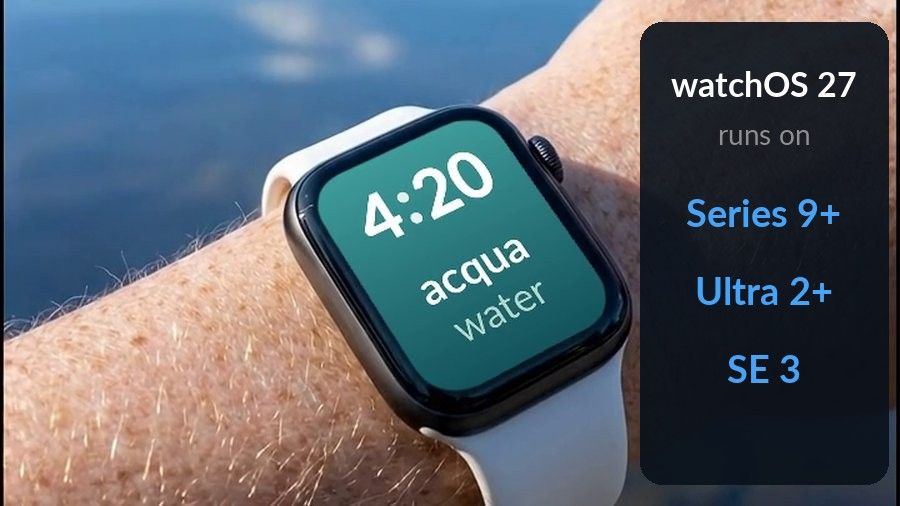
If you have just updated to watchOS 27 or unpacked a new Apple Watch, the apps worth installing first are the ones that save you a phone trip: a task list, a podcast player, a habit tracker, a weather app and a workout log. This list covers five of those, each checked against its own App Store listing, and adds one for a narrower job, learning a language, where Watch Your Language is our pick. It ranks first only in that category. Everything else here is simply a good everyday fit, not a ranking.
Key takeaways
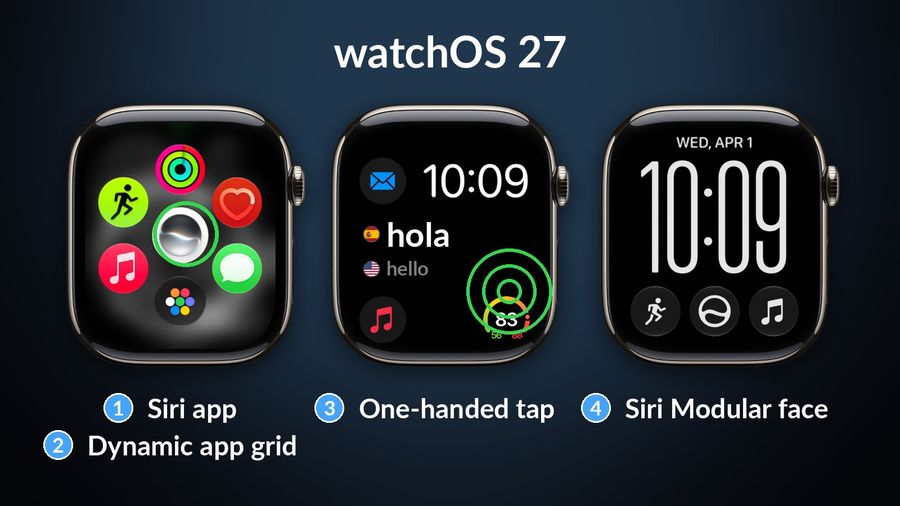
- watchOS 27 runs on Series 9 and later, Ultra 2 and later and SE 3, and adds a Siri app, a dynamic app grid and a one-handed tap for the Smart Stack.
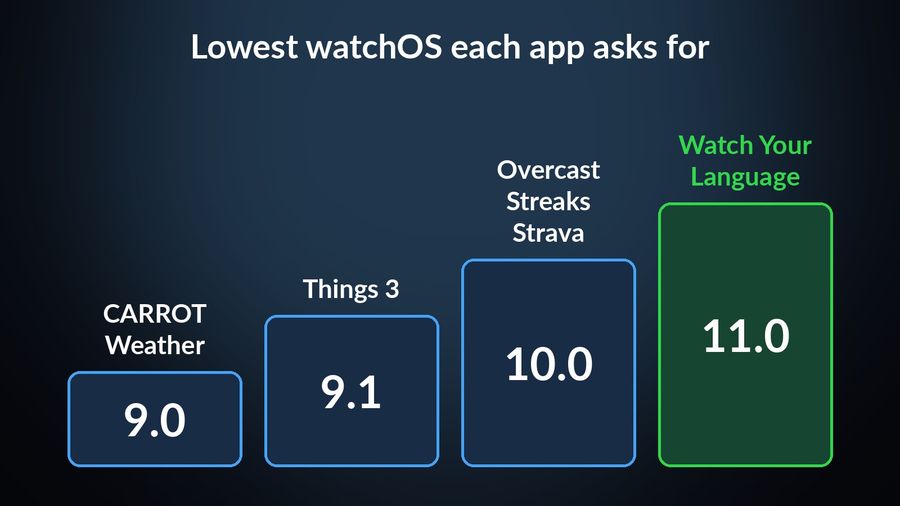
- The five everyday apps here each list watchOS 10.0 or earlier as their requirement: Things 3, Overcast, Streaks, CARROT Weather and Strava.
- For language learning, Watch Your Language is our pick for vocabulary in a complication, but it has no lessons or speaking practice.
What watchOS 27 changed that matters for apps
Apple's watchOS page says watchOS 27 runs on an iPhone 11 or later (or an iPhone SE, 2nd generation or later) with iOS 27, paired with an Apple Watch SE 3, Series 9, 10, 11 or 12, or Ultra 2, 3 or 4. In other words, Series 9 and later, Ultra 2 and later, and SE 3. If your watch is older, it stays on the version it has.
Four changes from Apple's watchOS 27 support page and the watchOS page affect how you use apps day to day:
- A Siri app. A dedicated app lets you revisit an existing conversation or start a new one. Siri AI itself is described as being in beta and rolling out in English first.
- A dynamic app grid. It highlights your most popular and recently used apps, so the apps you open often are easier to reach.
- A single-handed tap. Tapping your index finger and thumb together once selects a widget in the Smart Stack, even when your other hand is busy.
- A Siri Modular face. It has a rectangular complication that mirrors the top widget of the Smart Stack.
The practical effect is that a useful widget or complication matters more than a full app you have to open. It is a good way to judge the apps below: by what they show without being opened.
How we chose
We read each app's own App Store listing for its price, the watchOS version it asks for and what its description says about the watch. Every claim below links to the page it came from. The listings of the five general apps ask for watchOS 10.0 or earlier, and none asks for watchOS 27, so a listing gives you no reason to expect trouble on a Series 9 or later. We have not tested each app on watchOS 27 ourselves. Prices are the ones shown on the US App Store listings and can change.
Things 3 for to-dos you can add by voice
Who it is for: anyone who keeps a task list and wants it on the wrist.
What it does well: the Things 3 listing says the app comes with a watch app for checking the Today list, completing to-dos and dictating new ones, with changes syncing to your other Apple devices. It costs $9.99 and the watch app asks for watchOS 9.1 or later.
What it lacks: a free tier. It is a paid app, not a trial.
Overcast for podcasts without your phone
Who it is for: listeners who run, commute or walk without a phone in the pocket.
What it does well: the Overcast listing describes an Apple Watch app with standalone playback and cellular streaming. The app is free, and its optional Overcast Premium, listed at $19.99, hides the ads. The watch app asks for watchOS 10.0 or later.
What it lacks: streaming without your phone needs a cellular connection, so check that your watch has one.
Streaks for habits that live on the watch face
Who it is for: people building a daily habit, such as a walk, a glass of water or ten minutes of reading.
What it does well: the Streaks listing says the app includes an Apple Watch app with Health app integration, complications and rich notifications, and that it supports all Apple complication types. It costs $5.99 and asks for watchOS 10.0 or later.
What it lacks: it tracks whether you did a thing, not how well you did it. For learning something, pair it with a tool that does the teaching.
CARROT Weather for a forecast at a glance
Who it is for: people who check the weather several times a day.
What it does well: the CARROT Weather listing says its Premium Club unlocks Apple Watch complications and background updates. The app is free to download, with in-app purchases that include CARROT Premium at $4.99 a month or $19.99 a year. It asks for watchOS 9.0 or later.
What it lacks: complications are part of the paid tier, not the free app.
Strava for workouts
Who it is for: runners, cyclists and walkers who log their activity.
What it does well: the Strava listing shows the app for iPhone and Apple Watch, mentions an Apple Watch App of the Year award and asks for watchOS 10.0 or later. It is free to download, with a subscription sold in the app.
What it lacks: the listing says little about what the watch app does, so read it before you pay for a subscription on the strength of the watch features.
Watch Your Language for vocabulary, our pick for language learning
Who it is for: someone learning a language who wants a word to be there whenever they check the time.
What it does well: new vocabulary appears in Apple Watch complications (inline, rectangular, circular and corner) and in widgets on the iPhone, across 25+ learning languages. Words rotate on a timer you set, from 1 minute to 1 week. You mark a word as learned yourself. The watch app also lets you reveal a word and mark it right or wrong. Words come in themed packs graded A1 to C2, 10,000+ words in total, and you can add your own from a CSV, Excel or Google Sheets file or scan handwritten notes. It needs watchOS 11.0 or later, which any watch that runs watchOS 27 already has. The App Store listing has the current price.
What it lacks: lessons, grammar explanations and speaking practice. It is a vocabulary tool, so use it next to a course. The wider field is covered in the best Apple Watch apps for learning a language, and the setup steps are in Learn a Language on an Apple Watch.
At a glance
| App | Job | Price on the US listing | Watch requirement |
|---|---|---|---|
| Things 3 | To-dos | $9.99 | watchOS 9.1+ |
| Overcast | Podcasts | Free, optional Premium | watchOS 10.0+ |
| Streaks | Habits | $5.99 | watchOS 10.0+ |
| CARROT Weather | Weather | Free, optional Premium | watchOS 9.0+ |
| Strava | Workouts | Free, subscription in app | watchOS 10.0+ |
| Watch Your Language | Vocabulary | See the App Store listing | watchOS 11.0+ |
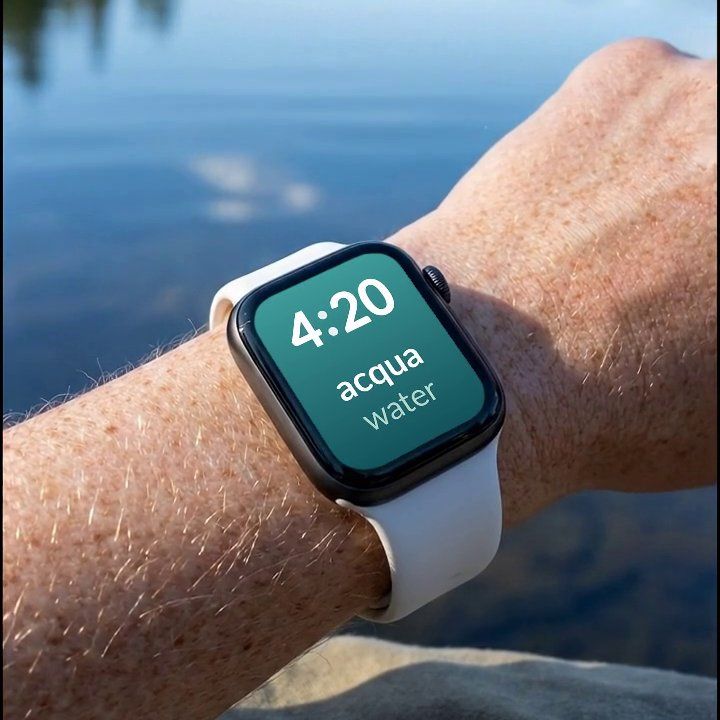
Watch Your Language is the vocabulary pick on this list: a word waiting in a complication each time you check the time, chosen by what you keep forgetting, across 25+ languages. It does not replace a course, so keep whichever one you already use.
Which one to pick
Start with the job you repeat most. If it is a to-do list, take Things 3. If it is a commute, Overcast. If you are building a habit, Streaks, and if you check the sky often, CARROT Weather. Strava covers workouts. For a language, a complication that shows one word at a time suits a watch better than a lesson you have to open, and that is the job Watch Your Language does. If you are not sure where your vocabulary stands, the vocabulary level test gives you a starting point.
Two things are worth checking after the update. Open the Siri app once to see whether Siri AI is available for your language, since Apple says it is rolling out in English first. And if you use the Siri Modular face, its rectangular complication mirrors the top widget of the Smart Stack, so what you see there depends on which widget you keep at the top.