 Eleanora R.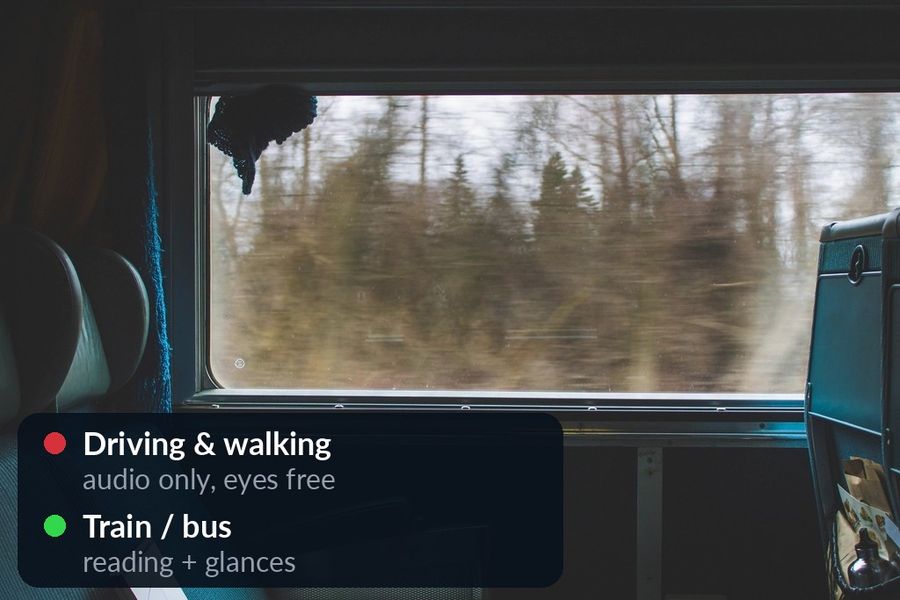
A commute already exists in your day, which is more than can be said for a free half hour at a fixed time. What makes it worth anything is matching what you do to what the commute actually allows: audio only if you are behind a wheel or on your feet, reading and quick glances if someone else is driving. Get that match wrong — try to read while driving, or expect an audio course to work as a lesson on a crowded platform — and the commute produces nothing. Get it right, and it is fifteen or forty-five minutes, most days, that were not doing anything for your vocabulary before.
Key takeaways
- Match the method to the commute: audio only while driving or walking, and reading or glances on a train or bus.
- Watch Your Language needs a glance at a screen, so it has nothing to offer while driving; use it once you are seated, with an audio course for the drive.
- Set it up with a Lock Screen widget and a watch complication, choose a pace from once a minute to once a week, and start with a small early pack.
What a Commute Is Actually Good For
Driving: audio only, eyes on the road
Behind the wheel, the phone and the watch stay untouched, full stop. Nothing here should be read as licence to glance at either while the car is moving — reading a Lock Screen or a watch face takes your eyes off the road for exactly the kind of moment that causes a crash. What a drive is good for is your ears: an audio course or a podcast in the language you are learning, playing through the car's own speakers. Pimsleur, for one, describes its method as audio-first and built for “while commuting, … while jogging, … while cooking,” with Apple CarPlay and Android Auto support and offline listening, so a lesson can run without a screen in view at all (pimsleur.com); its App Store listing pitches “just 30 minutes of language learning practice a day.” Watch Your Language has nothing to offer here — it depends on a glance at a screen, which is exactly what driving rules out — and it would be dishonest to pretend otherwise.

Train and bus: reading becomes possible
Once someone else is doing the driving, the constraint lifts. A train or bus seat is one of the few places in an ordinary day where you can read without also needing to watch where you are going: a book, a graded reader, subtitles you screenshotted earlier to look up later. It is also where a glance at a phone or a watch is genuinely just a glance, not a hazard — which is where widgets and complications do their actual job, putting one word from your list on the iPhone Lock Screen or Home Screen, or in an inline, rectangular, circular or corner complication on the watch face, for exactly the kind of five-second check a commute like this is full of.
Walking: audio again, for a different reason
Walking rules out the screen for a different reason than driving does: your eyes need to be on the pavement, the kerb and the traffic, not on a wrist. The safe choice is the same as for driving — audio, through headphones, with your eyes up. The one reasonable exception is a dead stop: waiting for a light to change is a fine moment for a two-second glance, about the same length of time you would spend checking whether it is safe to cross.
A Plan for Each Commute Type
| Commute | What to do | Where Watch Your Language fits |
|---|---|---|
| Driving | An audio course or a podcast, playing hands-free | Nothing — screens stay off |
| Train or bus | Reading, plus glances at a widget or complication | Its main job: a word on the Lock Screen, Home Screen or watch face |
| Walking | Audio, the same as driving | A glance only when you are stopped |
None of this needs to be all-or-nothing. Most weeks mix all three: a drive some days, a train the rest, a short walk at both ends. The plan above is really one rule applied three times — use your ears when your eyes are needed elsewhere, and use a glance only when they are not.
Setting It Up
- Add the widget. Long-press the Home Screen or the Lock Screen on your iPhone and add the Watch Your Language widget, so a word is visible without opening the app.
- Add the complication. Install the Watch app from the Watch app on your iPhone, or from the App Store directly on the watch, then add an inline, rectangular, circular or corner complication to your watch face. The Extra Large face fits a whole word most reliably, and Modular works too; on a face with less room, tap the complication to read the full word.
- Set the pace. Choose how often the word changes, from once a minute to once a week — a forty-minute train ride can take a faster pace than a five-minute walk to the station. Apple limits how often a widget actually refreshes to save battery; the app's own settings can raise that rate if you want to see it change more often.
- No Apple Watch? The same widgets work on iPhone and iPad, so the plan holds without one — the watch face is a second surface, not a requirement.
- Start small. The packs are graded from A1 to C2; a short commute suits a small, early pack better than an ambitious one you will not get through.
- Add what you actually meet. A phrase from a podcast or a word you looked up on the train is worth adding once you are off the road — typed in, imported from a CSV, Excel or Google Sheets file, or captured with the camera from handwritten notes.
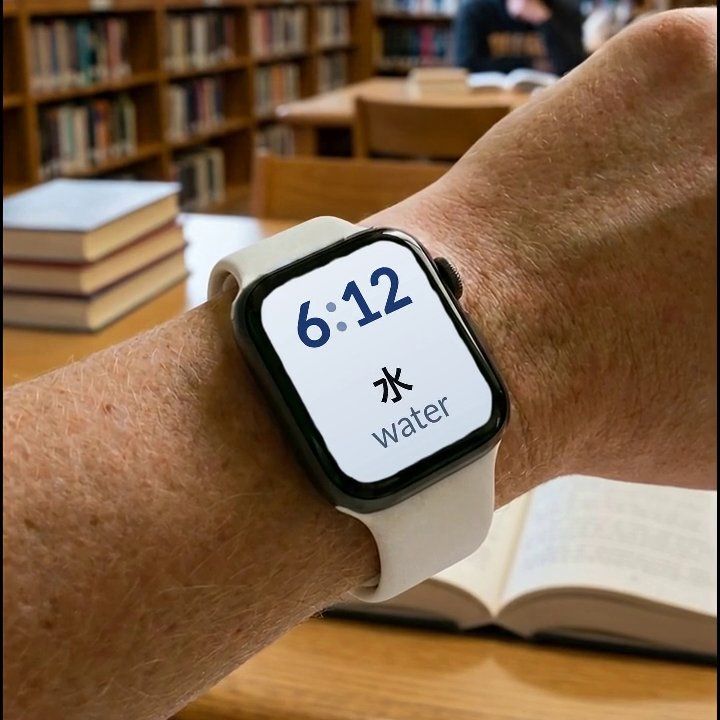

Watch Your Language is built for the second half of a commute — the seat, not the wheel. It puts a word from its 25+ languages on your iPhone Lock Screen and Home Screen and as a complication on your Apple Watch face, and decides which one to bring back based on what you are forgetting. It has no lesson and no audio of its own, so pair it with an audio course for the drive and let it take over once you are seated.
For the rest of the week, not just the commute, see how to learn a language when you have no time and how to learn vocabulary without study sessions. For other apps built specifically around a packed schedule, including audio-first options for the drive, see language apps for busy professionals.

